It's Raining Clicks — How Weather-Based Link Routing Turns Forecasts Into Conversions
← Back to Blog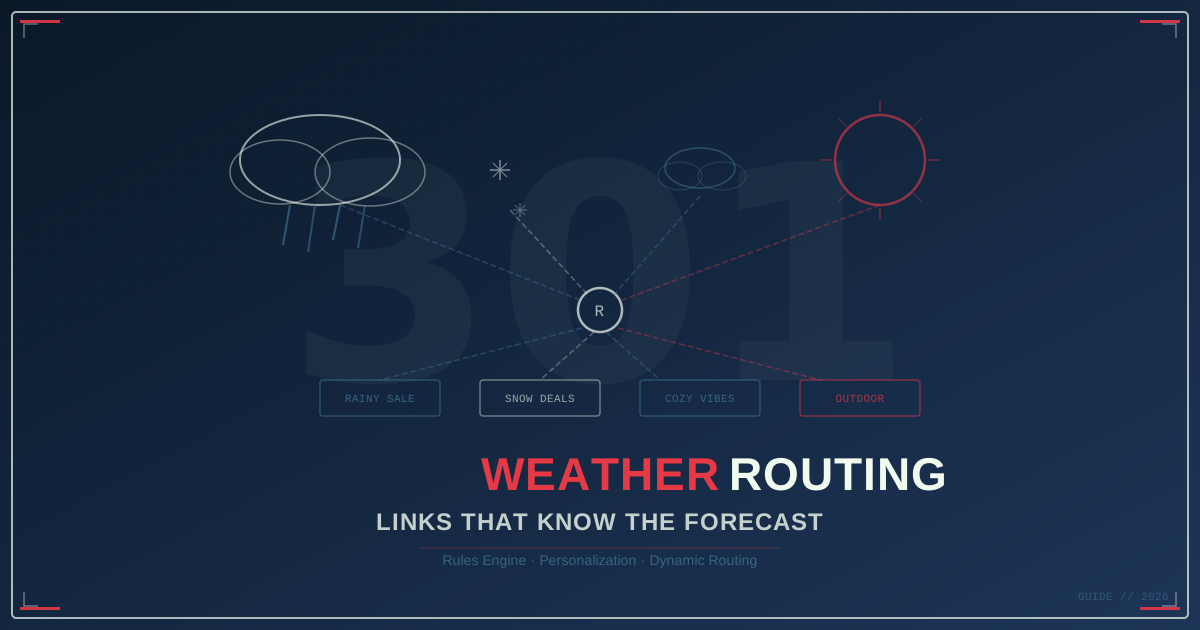
Your Ads Don’t Know It’s Raining
Right now, somewhere in Seattle, it’s pouring rain. A person standing at a bus stop — hood up, coffee getting cold — taps a link in your latest campaign email. They land on your homepage. It features a giant hero image of someone lounging on a sun-drenched patio.
That’s not personalization. That’s a disconnect.
Meanwhile in Phoenix, a different person taps the same link. It’s 85°F and clear. They land on the same page. The sun-drenched patio kind of works for them — but they’d convert harder on iced coffee than hot cocoa.
Here’s the thing: your links have no idea what the weather is doing. They send everyone to the same destination regardless of whether it’s snowing, raining, or a perfect 72 degrees. Every click gets the same experience. And that’s a missed opportunity hiding in plain sight.
One Link, Four Forecasts
301.Pro’s rules engine includes a condition most marketers don’t even know exists: Current Weather Condition.
It works like this. You create a single short link — say 301.pro/r/winter-promo — and add weather-based routing rules. When someone clicks that link, 301.Pro checks the weather at the clicker’s location (derived from their IP geolocation) and routes them accordingly:
| Weather | Destination | Why |
|---|---|---|
| 🌧️ Rain | /rainy-day-sale | ”Free shipping today — stay inside and shop” |
| ❄️ Snow | /snow-day-deals | ”Snowed in? We deliver” |
| ☁️ Cloudy | /cozy-collection | ”Gray skies, warm vibes” |
| ☀️ Clear | /outdoor-essentials | ”Perfect day to get outside” |
One link. Four experiences. Zero manual intervention.
The person clicking doesn’t know they’re being routed. They just see a landing page that feels eerily relevant to their current moment. That’s the kind of personalization that converts — not because you’re showing off your tech stack, but because you’re meeting people where they are. Literally.
Real Use Cases That Actually Make Sense
Weather routing sounds like a gimmick until you see the use cases. Then it sounds like the most obvious feature nobody’s using.
The Umbrella Company
This is the canonical example, and it’s beautiful in its simplicity. An umbrella brand runs a single campaign link across all channels — social, email, SMS, influencer bios. When it’s raining at the clicker’s location, they land on an urgent “Buy Now — Free Same-Day Shipping” page. When it’s clear, they get a softer “Be Prepared for the Next Storm” page with a bundle deal.
Same link. Completely different conversion psychology. Rainy-day clicks get urgency. Clear-sky clicks get preparation.
The Coffee Chain
Starbucks figured this out years ago with their seasonal menu. But you can do it at the link level without rebuilding your entire app:
- Rain/Snow → Hot drinks landing page (lattes, cocoa, chai)
- Clear/Warm → Iced drinks landing page (cold brew, frappuccinos, refreshers)
Attach this to your Instagram bio link, your email CTAs, even your QR codes in-store. The link does the thinking.
The Travel Brand
This one’s almost unfair. Someone clicks your ad while it’s snowing in Chicago? Route them to “Escape to Cancún — Flights from $199.” Someone clicks from sunny San Diego? Show them “Explore Local Adventures This Weekend.”
You’re not just personalizing — you’re weaponizing envy. Snow makes warm beaches feel urgent. Sunshine makes outdoor activities feel obvious. The weather does your copywriting for you.
The Ski Resort
Flip the travel logic. When it’s snowing at the clicker’s location, show “Fresh Powder Alert — Book Now Before It Melts.” Clear skies? “Bluebird Day Conditions — Visibility for Miles.” Both messages are compelling, but they hit different motivations. Powder chasers want confirmation. Scenic skiers want beauty.
The Retailer Who Stacks Rules
Here’s where it gets interesting. Weather is just one condition in 301.Pro’s rules engine. You can combine it with:
- Device type — Mobile gets the app download CTA, desktop gets the full catalog
- Time of day — Morning clicks get breakfast promos, evening clicks get dinner
- Location — Denver sees mountain gear, Miami sees beach gear
- Language — Route Spanish-speaking visitors to localized pages
So imagine this rule: “If it’s raining AND it’s a mobile device AND it’s after 6pm AND they’re in New York → route to the ‘Cozy Night In’ collection with express delivery.”
That’s not a link. That’s a concierge.
Why This Beats Traditional Personalization
Most personalization happens on the landing page itself. You build one URL, load a bunch of JavaScript, detect conditions client-side, and dynamically swap content. It works, but it’s fragile:
- It’s slow. Client-side detection means the page loads, then adjusts. Users see a flash of wrong content.
- It requires engineering. Dynamic content means custom code, A/B testing frameworks, analytics integration.
- It breaks caching. CDNs can’t cache a page that changes per visitor.
Weather-based link routing avoids all of this. The routing decision happens at the redirect layer — before the destination page even loads. Each destination is a static, fast, fully cached page optimized for one specific scenario. No JavaScript gymnastics. No content flicker. No engineering sprint.
You’re essentially building a decision tree into the link itself. Marketing teams can set it up without writing a single line of code.
Setting It Up
The actual setup in 301.Pro takes about five minutes:
- Create your short link with a memorable slug
- Add a routing rule → Condition: “Current Weather Condition”
- Set the weather value → Rain, Snow, Cloudy, or Clear
- Set the destination URL for that condition
- Repeat for each weather condition you want to handle
- Set a default destination for conditions you didn’t cover
The default destination is important. Weather data isn’t available for every click (VPN users, unusual IP ranges, etc.), so you always want a solid fallback. Make it your best general-purpose landing page.
Pro tip: start with just two rules — rain and clear. Those two conditions alone cover the majority of weather-routing value. You can always add snow and cloudy later once you see the data.
Stacking Weather With Other Conditions
The real power isn’t weather alone — it’s weather as one layer in a multi-condition rule stack. 301.Pro evaluates rules in order, and the first matching rule wins. So you can build priority chains:
- If snow + mobile → App download with snow-day promo code
- If rain + desktop → Full catalog with free shipping banner
- If clear + location is California → Outdoor collection
- If clear + location is anywhere else → Seasonal bestsellers
- Default → Homepage
Each rule is a row in your dashboard. No code. No deploys. Change a destination URL and the next click reflects it.
The Takeaway
Weather-based routing is one of those features that sounds like a novelty until you actually use it. Then you realize: every link you’ve ever sent treated a person in a blizzard the same as a person at the beach. And that’s kind of absurd.
Your customers live in the real world. The weather shapes their mood, their needs, their buying intent. A link that understands that — even at a basic level — creates the kind of relevance that generic campaigns can’t touch.
One link. Current conditions. The right landing page. Every time.