Morning Coffee, Afternoon Deals: How Time-of-Day Routing Boosts Conversions
← Back to Blog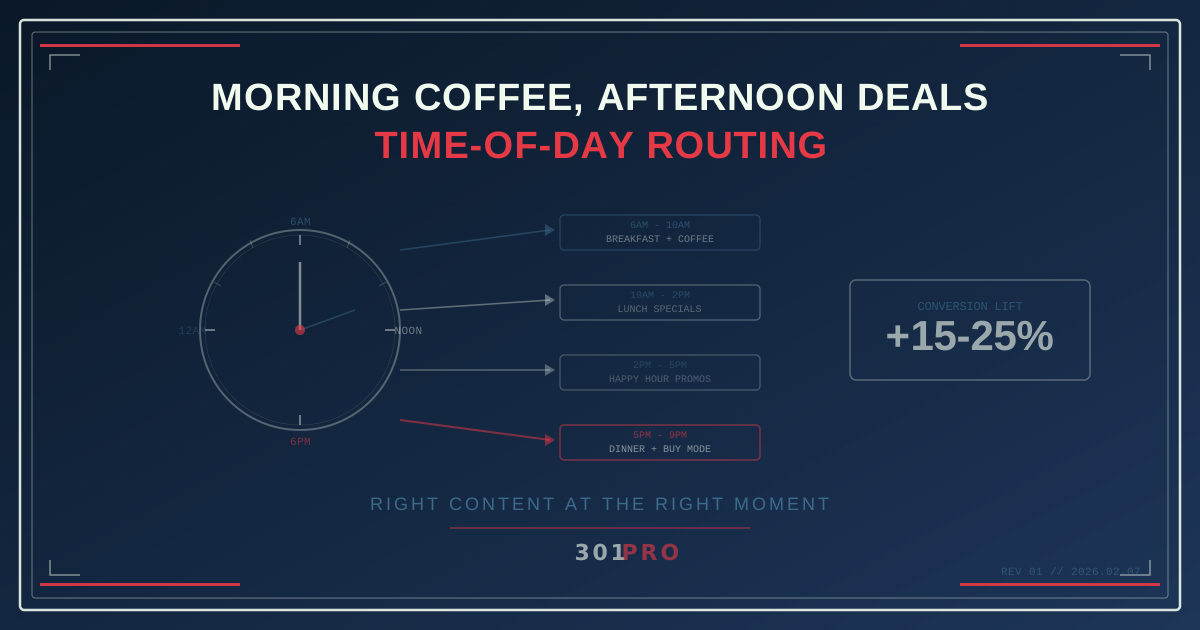
You’re a Different Customer at 8pm
Think about your own behavior for a second. At 8am, you’re grabbing coffee, skimming headlines, maybe checking your calendar. At noon, you’re hunting for lunch. At 3pm, you’re in a post-lunch slump looking for a dopamine hit. At 8pm, you’re on the couch, credit card within arm’s reach, ready to impulse buy something you don’t need.
You’re the same person, but your intent changes hour by hour. Your patience, your budget sensitivity, your tolerance for long-form content — all of it shifts throughout the day.
So why do most marketing links send everyone to the same page regardless of when they click?
What Is Time-of-Day Routing?
Time-based routing is a simple concept: one link, different destinations depending on when the click happens.
With 301.Pro’s time-based marketing rules, you define time windows and destinations. The routing engine checks the clock when someone clicks and sends them to the appropriate page:
| Time Window | Destination | Rationale |
|---|---|---|
| 6am - 10am | Breakfast menu + coffee deals | Morning intent |
| 10am - 2pm | Lunch specials + quick ordering | Midday efficiency |
| 2pm - 5pm | Happy hour promos + afternoon snack menu | Afternoon lull |
| 5pm - 9pm | Dinner menu + family deals | Evening browsing |
| 9pm - 6am | Next-day delivery + late-night deals | Impulse buying mode |
One link in your social bio, your email signature, your print materials — it always shows the most relevant content for the moment.
Why Timing Matters More Than You Think
The Data Is Clear
Consumer behavior research consistently shows dramatic shifts in engagement patterns throughout the day:
- Email click-through rates peak between 10am-11am but purchase completion peaks between 8pm-10pm
- Mobile commerce conversion rates are 40% higher after 8pm compared to during work hours
- Content consumption length increases by 65% on evenings and weekends compared to weekday mornings
If you’re showing the same landing page to the 8am browser and the 8pm buyer, you’re optimized for neither.
The Mismatched Landing Page Problem
Here’s a scenario that plays out millions of times daily:
- Brand posts a link to their “Summer Collection” at 9am
- A follower sees the post at 9pm that evening
- They click and land on a page optimized for browsing — hero imagery, brand story, editorial content
- But at 9pm, they want to buy, not browse
- They leave because finding the “Shop Now” button requires too much scrolling
The link was right. The timing was wrong. The page didn’t match the moment.
Practical Time-Based Routing Strategies
Strategy 1: Business Hours vs. After Hours
The simplest time-based routing split. During business hours, route to pages with live chat, phone numbers, and “Talk to Sales” CTAs. After hours, route to self-service pages with demo videos, documentation, and “Book a Meeting” calendars.
| Time | Destination | CTA Focus |
|---|---|---|
| 9am - 6pm (Mon-Fri) | Sales-optimized page | ”Talk to us now” |
| Evenings + Weekends | Self-service page | ”Watch a demo” / “Book for Monday” |
This isn’t about showing different products. It’s about matching the available experience to the available resources. If nobody’s answering the chat at 11pm, don’t put a “Chat Now” button in front of someone at 11pm.
Strategy 2: The Meal-Time Restaurant Play
If you run a restaurant, cafe, or food delivery service, time-based routing is your best friend:
- Morning: Breakfast menu, coffee deals, quick-pickup ordering
- Lunch: Lunch combos, fast delivery options, “order ahead” landing page
- Afternoon: Snack menu, happy hour countdown
- Dinner: Full dinner menu, reservation page, family deals
- Late night: Delivery-only menu, late-night specials
Every QR code on every table tent, every link in every social bio, every URL on every flyer — all adapting automatically. You don’t update the link. You don’t swap QR codes. The content matches the clock.
Strategy 3: Event Lifecycle Routing
301.Pro’s event-based routing takes time-routing to another level. A single link guides attendees through an entire event lifecycle:
- Before event: Registration page
- Day of event: Venue directions, schedule, parking info
- During event: Live agenda, speaker bios, session feedback
- After event: Recording access, slides download, feedback survey
- Weeks later: Next event promotion, membership upsell
One link on the event website, one QR code on the poster. The content evolves as time passes.
Strategy 4: Flash Sale Urgency Ladder
Create urgency by changing the destination as the sale progresses:
- Day 1: “Sale starts today! Browse the collection”
- Day 2-3: “Items are selling fast — shop popular picks”
- Last day: “Final hours — limited stock remaining”
- After sale: “Sale ended — join waitlist for next one”
The link in your promotional email stays the same. The experience escalates.
Strategy 5: Content Freshness for Social Bio Links
Your Instagram bio link can serve different content based on when followers click:
- Monday morning: Weekly newsletter signup (capture the planning mindset)
- Wednesday afternoon: Latest blog post (midweek content break)
- Friday evening: Weekend deals or event listings
- Weekend: Lifestyle content, community stories
Instead of manually updating your bio link, set the rules once and let the timing do the work.
Combining Time with Other Rules
Time-based routing becomes exponentially more powerful when combined with 301.Pro’s other routing rules:
Time + Geography
Route morning clicks from New York to the NYC breakfast page and morning clicks from Los Angeles to the LA breakfast page. Same link, different time zones, different content — all handled automatically.
This is particularly important for businesses operating across time zones. When it’s 9am in New York, it’s 6am in LA. Your “lunch special” link needs to know what time it is where the user is, not where your server is.
301.Pro handles this with the user’s local time, determined by their IP geolocation. A click at noon local time routes to the lunch page, regardless of what time zone the clicker is in.
Time + Device
Route mobile users during commute hours (7-9am, 5-7pm) to a mobile-optimized quick-action page. Route desktop users during work hours (9am-5pm) to a detailed product page. The device tells you how they’re browsing. The time tells you why.
Time + A/B Testing
Run different A/B tests at different times of day. Morning visitors see test A (headline variants), evening visitors see test B (CTA variants). You’re not just testing content — you’re testing context.
Setting Up Time Rules
In 301.Pro’s rules engine, time-based rules follow this pattern:
- Define time windows — start time, end time, days of the week
- Set the user’s timezone logic — user’s local time (recommended) or a fixed timezone
- Assign destinations — one URL per time window
- Set a default — for any time not covered by rules
Rules are evaluated in priority order. The first matching rule wins. This means you can create specific rules for “Friday evening” that override the general “evening” rule.
The Conversion Impact
Time-based routing typically improves conversion rates by 15-25% simply by matching content to intent. That’s not a hypothetical number — it’s what happens when you stop showing the same page to the morning browser and the evening buyer.
The morning browser needs inspiration. The evening buyer needs a buy button. Time-based routing gives each exactly what they need, from the same link.
The Bottom Line
Your customers aren’t static. Their needs, their patience, their intent — all of it changes throughout the day. A link that sends everyone to the same page is ignoring the single most obvious signal about what they want: when they clicked.
Time-based routing isn’t complicated. It’s a few rules, a few destinations, and a routing engine that checks the clock. The setup takes minutes. The conversion improvement lasts forever.
Because the best time to show someone the right page is right now.