How to Route SMS Links to the Nearest Store Location (Without Creating 200 Links)
← Back to Blog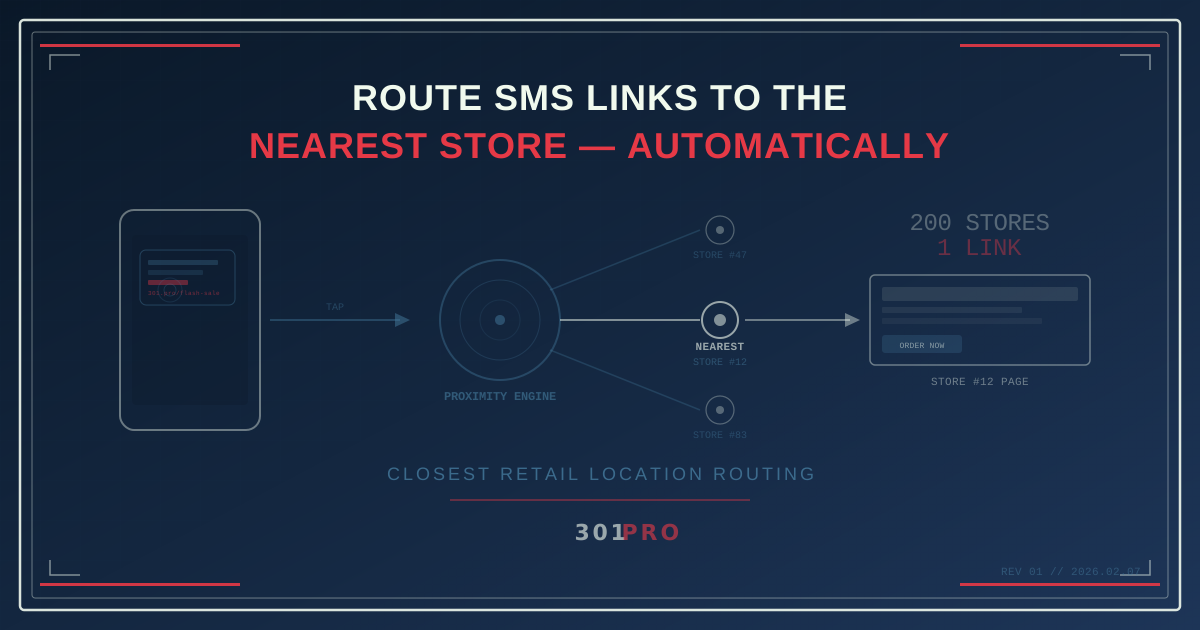
The 200-Location Problem
You run marketing for a franchise with 200 locations across the country. Corporate wants to send an SMS blast promoting this weekend’s flash sale. Simple ask, right?
Except here’s the problem: you need every person who taps that link to land on their nearest store’s page. Not the corporate page. Not the flagship store. Their store — the one seven minutes away with parking.
The traditional approach: create 200 different links, segment your SMS list by ZIP code, and send 200 different messages. That’s 200 links to create, 200 audience segments to build, 200 QA checks to verify, and one very tired marketing manager.
Or, you could create one link and let routing handle the rest.
One Link, 200 Destinations
301.Pro’s closest retail location feature does exactly what the name suggests. You upload your list of store locations — name, address, coordinates — and the system automatically routes each click to the nearest one.
Here’s what the SMS looks like:
Flash sale this weekend! 40% off everything in store. Find your nearest location: 301.pro/cde/flash-sale
That’s it. One link. Every recipient. When someone taps it in Portland, they see the Portland store page. When someone taps it in Houston, they see Houston. The routing is automatic, real-time, and based on the clicker’s actual location — not a ZIP code guess from your CRM.
How It Works Under the Hood
When a recipient taps the link in their SMS app:
- The click hits 301.Pro — the short URL resolves to the routing engine
- IP geolocation determines the user’s approximate location (city-level accuracy, typically within a few miles)
- Proximity calculation compares the user’s location against your uploaded store list
- Nearest match wins — the user is redirected to that store’s landing page
- Click data enrichment logs the click, the location, the matched store, and the device
Total time from tap to landing page: milliseconds. The user never sees a loading screen, a store locator, or a “choose your location” dropdown. They just land on the right page.
Why This Matters for SMS Specifically
SMS is uniquely suited for proximity routing because of three factors that other channels don’t share:
SMS Is Mobile-First (Mobile-Only, Really)
When someone clicks a link in an SMS, they’re on their phone. They’re mobile. They’re somewhere. That “somewhere” is exactly the data point you need for proximity routing to work.
Email links might be opened on a laptop at home, on a phone at the office, or on a tablet at a coffee shop. The device and location vary wildly. SMS? Phone. Always. And the phone is wherever the person is.
SMS Has Higher Intent
SMS open rates hover around 98%. Click-through rates on SMS links are 5-10x higher than email. When someone taps an SMS link, they’re interested right now. Sending them to a generic corporate page wastes that intent. Sending them to their nearest store capitalizes on it.
SMS Audiences Are Often Loyalty Members
Your SMS list is typically your most engaged audience — loyalty members, repeat customers, opt-in subscribers. These people already have a relationship with your brand. Routing them to the store they actually visit is the bare minimum of personalization.
The Click Truth Advantage
Here’s something unique about SMS campaigns on 301.Pro that you can’t get elsewhere: Click Truth analytics.
301.Pro’s dynamic link variations let you encode the recipient’s phone number into the link itself. Each SMS gets a slightly different URL — imperceptible to the user, but trackable by the system.
This means you can answer questions like:
- Which specific customer clicked the link (not just “someone in Houston”)
- How many unique customers clicked vs. how many were repeat clicks
- Time from SMS delivery to click — how urgently does your audience respond?
- Click-to-visit correlation — did the person who clicked actually visit the store?
Traditional SMS platforms tell you “742 people clicked.” 301.Pro tells you which 742 people clicked, where they were, which store they were routed to, and when.
Setting This Up: A Walkthrough
Let’s build a real campaign.
Step 1: Upload Your Store List
Prepare a CSV with your store locations:
| Store Name | Address | City | State | ZIP | Landing Page URL |
|---|---|---|---|---|---|
| Portland Downtown | 123 Main St | Portland | OR | 97201 | yoursite.com/stores/portland-downtown |
| Portland Eastside | 456 Burnside | Portland | OR | 97214 | yoursite.com/stores/portland-eastside |
| Houston Galleria | 789 Westheimer | Houston | TX | 77057 | yoursite.com/stores/houston-galleria |
| … | … | … | … | … | … |
Upload this to 301.Pro’s closest retail location configuration.
Step 2: Create the Campaign Link
Create a new link: 301.pro/cde/flash-sale
Set the routing rule to “Closest Retail Location” and select your store list. Set a default destination for anyone outside your service area (corporate site, store locator page, etc.).
Step 3: Generate SMS Variations (Optional)
If you want per-recipient Click Truth tracking, enable dynamic link variations. 301.Pro generates unique link encodings per phone number in your send list.
Step 4: Send via Your SMS Platform
Use your existing SMS provider (Twilio, Attentive, Klaviyo, whoever) and include the 301.Pro link in the message body. The routing happens at the 301.Pro level — your SMS platform just delivers the message.
Step 5: Monitor in Real Time
301.Pro’s real-time webhooks can notify your CRM the instant someone clicks. If you’re on the Real-Time Data plan ($499/mo), you get:
- Instant webhook notifications per click
- Store-level attribution in real time
- Device and location data enrichment
- Per-recipient click tracking
Scale Math: Why This Changes the Game
Let’s compare the two approaches for a 200-location franchise:
| Factor | Traditional (200 Links) | 301.Pro Proximity Routing |
|---|---|---|
| Links to create | 200 | 1 |
| Audience segments | 200 | 1 |
| QA checks | 200 | 1 |
| Time to set up | 4-8 hours | 15 minutes |
| New store opens | Create new segment + link | Add to store list |
| Store closes | Find and deactivate link | Remove from list |
| Analytics | 200 separate dashboards | 1 unified view |
And that’s for one campaign. Run four campaigns per month, and the traditional approach means managing 800 links. Add seasonal promotions, holiday sales, and loyalty rewards, and you’re drowning in links.
When Closest Retail Location Beats ZIP Code Segmentation
ZIP code-based segmentation is the most common workaround, but it has a fundamental flaw: ZIP codes don’t know about store locations.
A customer in ZIP 97205 might be equidistant between your Portland Downtown and Portland Eastside locations. ZIP code logic picks one arbitrarily. Proximity routing picks the closest one.
More importantly, ZIP codes are static. They’re based on where the customer lives (according to your CRM), not where they are. A customer might be visiting a different city when they receive your SMS. ZIP code routing sends them to their home store’s page. Proximity routing sends them to the store around the corner.
The Bottom Line
SMS campaigns for multi-location businesses don’t need 200 links, 200 segments, or 200 headaches. They need one smart link that knows where each clicker is and sends them to the right store automatically.
Closest retail location routing turns a logistics nightmare into a 15-minute setup. One link in the SMS, one campaign to manage, one dashboard to monitor — and every customer lands at the store they’ll actually visit.
Your customers are somewhere. Your links should know where.