Your QR Code on That Billboard Points to the Wrong City — Here's How to Fix That
← Back to Blog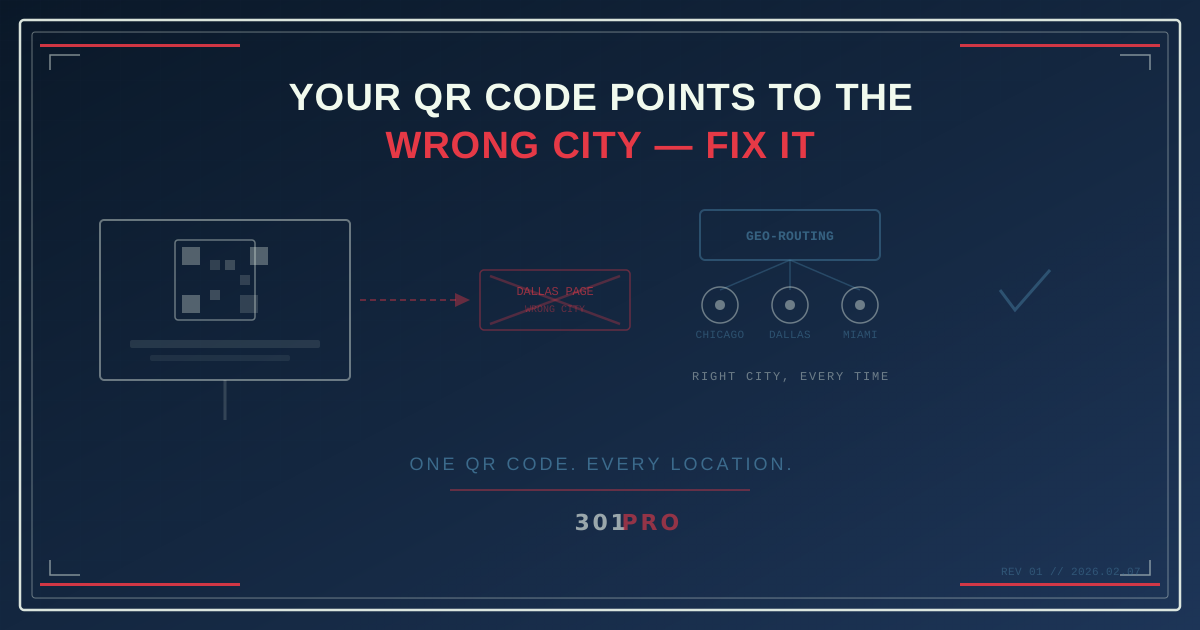
The Billboard Problem
Here’s a scenario that happens more often than anyone in marketing wants to admit.
Your company runs a national campaign. Billboards in Dallas, Chicago, and Miami. Same creative, same QR code, same call to action. The QR code links to your landing page.
Your Dallas landing page.
The person scanning it in Chicago gets Dallas store hours, Dallas inventory, and a Dallas phone number. The person in Miami? Also Dallas. Your national campaign just became a very expensive Dallas campaign.
The fix in traditional marketing? Print three different QR codes. Three different creative assets. Three different production runs. Three different timelines. And heaven help you if you send the Chicago billboard to Dallas and the Dallas billboard to Miami.
There’s a better way.
One QR Code, Many Destinations
Geo-routing is the idea that a single link — and therefore a single QR code — can send users to different destinations based on where they are when they scan it.
Not where the billboard is. Not where the QR code was printed. Where the user is.
When someone scans your QR code in Chicago, they see the Chicago page. Scan it in Miami, they see Miami. Scan it in a city you haven’t set up? They see your default national page. All from the same physical QR code printed on the same physical billboard.
This isn’t science fiction. It’s how 301.Pro’s geography-based routing works, and it solves one of the oldest problems in physical marketing.
How Geography-Based Routing Works
When someone clicks a link (or scans a QR code, which is just clicking a link with their camera), the request goes through 301.Pro’s routing engine. The engine looks at the user’s IP address, determines their approximate location, and matches that against the routing rules you’ve defined.
The flow looks like this:
- User scans QR code → hits
301.pro/cde/summer-sale - Routing engine checks user’s location → Chicago, IL
- Matches against rules → Chicago rule sends to
yoursite.com/summer-sale/chicago - User sees Chicago-specific landing page
All of this happens in milliseconds. The user never sees a generic page, never gets redirected twice, never knows routing happened at all. They just land on the right page.
Setting Up Location Rules
In 301.Pro’s rules engine, you define location-based routing like this:
| If user is in… | Send to… |
|---|---|
| Dallas, TX (or Texas) | yoursite.com/summer-sale/dallas |
| Chicago, IL (or Illinois) | yoursite.com/summer-sale/chicago |
| Miami, FL (or Florida) | yoursite.com/summer-sale/miami |
| Default (anywhere else) | yoursite.com/summer-sale |
You can route by country, state, city, or even proximity to a specific location. The rules stack — most specific wins.
Real-World Use Cases
Franchise Marketing
A franchise with 200 locations doesn’t need 200 QR codes. It needs one QR code with a routing rule that sends every scanner to their nearest location’s page.
The national brand prints one poster, one flyer, one table tent. The QR code handles the personalization. When a new location opens, you add a routing rule — no reprints needed.
Event Promotion in Multiple Cities
You’re running the same event in five cities over five weekends. The promo materials — posters, social media, email — all use the same QR code. Week one, scanners in Austin see the Austin event page. Week two, scanners in Portland see Portland. The QR code on those posters from week one? It still works in Austin, now pointing to event recap or next year’s registration.
Real Estate Listings
Open house signs with QR codes that route to the correct listing based on which neighborhood the scanner is in. One yard sign template, one QR code, hundreds of listings — each scanner sees properties near them.
Tourism and Hospitality
A hotel chain’s loyalty program mailer includes a QR code. Scan it in New York, see Manhattan hotel deals. Scan it in London, see UK properties and prices in pounds. Same mailer, personalized experience.
The Closest Retail Location Feature
301.Pro takes geo-routing a step further with its closest retail location feature. Instead of manually defining rules for every location, you upload your list of retail locations and the system automatically routes each scanner to the nearest one.
This is particularly powerful for:
- Restaurant chains: One QR code on all packaging routes customers to their closest location’s order page
- Retail brands: One QR code on product packaging sends customers to the nearest store with that product in stock
- Service businesses: One QR code on fleet vehicles sends potential customers to the nearest service center
The system calculates proximity in real time. No rules to maintain per location. Add a location, it’s immediately included in routing. Close one, remove it from the list.
What Happens Without Geo-Routing
Let’s quantify the problem geo-routing solves:
The Production Cost
Printing unique QR codes for each market means unique creative for each market. For a campaign covering 10 markets:
- 10 unique creative assets × designer time = $2,000-5,000
- 10 production runs × printing cost = variable but significant
- 10 QA cycles to verify each code points to the right page
- 10 opportunities to send the wrong QR code to the wrong market
With geo-routing: one creative asset, one QR code, one production run, one QA cycle. Done.
The Update Problem
Your Chicago location moves. With static QR codes, every printed piece pointing to the old Chicago page needs to be reprinted. With geo-routing, you update the Chicago rule and every QR code — on every billboard, every flyer, every poster — instantly routes to the new page.
This is especially critical for dynamic QR codes in print. Once it’s printed, you can’t change the QR code itself. But with 301.Pro, you can change where it goes. The QR code is permanent. The destination is not.
The Analytics Gap
With separate QR codes per market, your analytics live in separate silos. Comparing performance across markets requires manual data consolidation.
With one geo-routed QR code, all click data flows through a single link. You can see total scans, breakdown by market, compare conversion rates by geography — all in one dashboard. 301.Pro’s click data enrichment captures the full picture: where each scanner was, what device they used, and which destination they landed on.
Beyond Static Geo-Rules
The real power comes when you combine geo-routing with other 301.Pro features:
Geo + Time Routing
Route to location-specific content during business hours, and a general page after hours. Your Chicago QR code goes to the Chicago store page from 9-5, and the online store at night.
Geo + Device Routing
Route mobile users to your app store listing for their nearest location, and desktop users to your website. Same QR code, different experience based on both location and device.
Geo + A/B Testing
Run different landing page tests in different markets. Your Dallas audience sees landing page variant A, while Chicago sees variant B. Geographic A/B testing from a single link.
The Bottom Line
The billboard problem isn’t really about billboards. It’s about any physical or permanent media that needs to be relevant across locations: packaging, signage, print ads, direct mail, fleet vehicles, event materials.
The old solution — print different QR codes for different locations — doesn’t scale, costs more, and creates more opportunities for error.
The new solution — one QR code with intelligent geo-routing — handles personalization at the redirect level, where it belongs. Print once. Route dynamically. Update anytime.
Your billboard in Chicago should show Chicago content. Your billboard in Miami should show Miami content. And you should only have to design one billboard to make it happen.