How to Run a Product Launch with Links That Update Themselves
← Back to Blog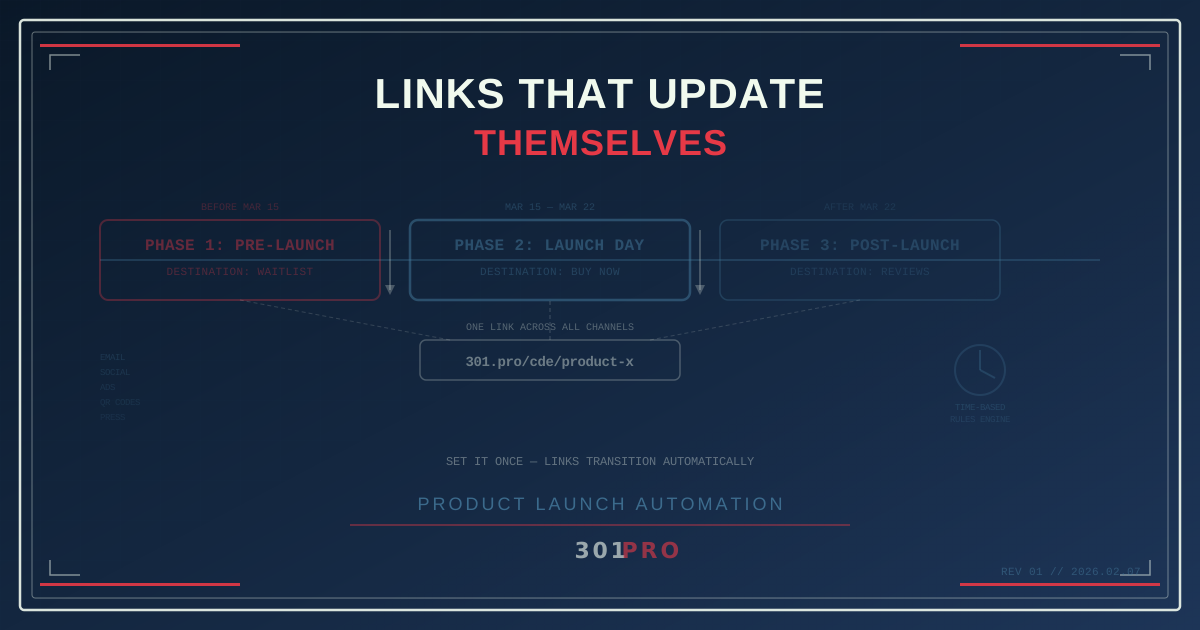
The Launch Day Scramble
It’s 11:47 PM the night before your product launch. The marketing team is in a Slack channel triple-checking everything. Someone asks: “Did we update the link in the email that goes out at 6 AM?”
Silence.
“Which link? The one on the landing page? The social posts? The influencer kit?”
More silence.
“All of them.”
This is the product launch scramble. Every campaign has multiple links pointing to different destinations based on timing — and someone has to manually update all of them at the exact right moment. Miss one, and your launch-day social posts still link to the “Coming Soon” page while the product is already live.
There’s a better way. Links that know what time it is.
The Three-Phase Launch
Every product launch follows roughly the same timeline:
Phase 1: Pre-Launch (Hype)
The product isn’t available yet. Links should route to a teaser page, a waitlist signup, or an “early access” landing page. The goal is to build anticipation and collect leads.
Phase 2: Launch Day
The product is live. Links should route to the product page, the purchase flow, or the signup page. The goal shifts from anticipation to conversion.
Phase 3: Post-Launch
The initial buzz has settled. Links should route to reviews, case studies, documentation, or the standard product page. The goal becomes sustained sales and education.
Most teams handle these transitions manually. Someone updates the landing page. Someone swaps the link in the email footer. Someone remembers to update the link in the social media bio — maybe.
With time-based rules in 301.Pro, you configure these transitions once, and they happen automatically.
Setting Up Self-Updating Links
Here’s how a product launch link works with 301.Pro’s rules engine:
One Link, Three Destinations
You create a single link: 301.pro/cde/product-x
Then you set up time-based rules:
| Time Period | Destination | Purpose |
|---|---|---|
| Before March 15, 9 AM ET | /product-x/coming-soon | Teaser + waitlist |
| March 15, 9 AM – March 22 | /product-x/buy-now | Product page + purchase |
| After March 22 | /product-x/learn-more | Reviews + documentation |
That’s it. The link goes out in every pre-launch email, every social post, every influencer kit, and every QR code on pre-launch materials. On launch day at 9 AM, it automatically starts routing to the buy page. A week later, it shifts to the long-term destination.
No scramble. No midnight Slack messages. No forgotten links pointing to the wrong page.
Why Manual Link Updates Fail
The manual approach seems manageable until you count all the places your launch link exists:
- Email campaigns (pre-launch series, launch announcement, follow-ups)
- Social media profiles (bio links, pinned posts)
- Paid ads (Google, Facebook, Instagram, TikTok)
- Influencer kits and affiliate links
- Press releases and media outreach
- QR codes on physical materials (packaging, inserts, event signage)
- Partner websites and co-marketing materials
- Internal communications (sales decks, demo links)
- Customer support templates
That’s potentially dozens of individual link instances. Updating them all simultaneously at launch time is a coordination nightmare. Missing even one means a customer clicks an outdated link and gets confused — right at the moment when first impressions matter most.
With a managed link, you update the destination in one place. Every instance of the link updates everywhere, instantly.
Advanced Launch Patterns
Time-based rules are just the beginning. 301.Pro’s rules engine lets you layer multiple conditions for sophisticated launch strategies:
Geographic Staggered Launch
Launching in different markets at different times? Combine time-based rules with geo-routing:
| Condition | Destination |
|---|---|
| US + after March 15 | US product page |
| Europe + after March 22 | EU product page (with GDPR compliance) |
| Asia + after March 29 | APAC product page |
| Everyone else (pre-launch) | Global waitlist |
One link handles the staggered international rollout automatically.
Device-Specific Destinations
Launching a mobile app? Route mobile users to the app store and desktop users to the web experience:
| Condition | Destination |
|---|---|
| iOS + after launch | Apple App Store listing |
| Android + after launch | Google Play Store listing |
| Desktop + after launch | Web app signup |
| Before launch (all devices) | Waitlist page |
A/B Testing During Launch
Not sure which landing page converts better? 301.Pro can split traffic during the launch window:
| Condition | Destination |
|---|---|
| After launch, 50% of traffic | Landing page variant A |
| After launch, 50% of traffic | Landing page variant B |
| Before launch | Teaser page |
You get real conversion data from launch day traffic — the highest-intent audience you’ll ever have.
The QR Code Advantage
Product launches often involve physical materials: packaging, event booths, printed invitations, promotional inserts. These materials are ordered weeks or months before launch day.
If the QR code on your packaging encodes a direct URL to your “coming soon” page, what happens on launch day? The page content changes, but the URL doesn’t. That might work — or the “coming soon” page might get redirected, breaking the QR code.
With a 301.Pro link behind the QR code, the physical code never changes but the destination transitions automatically through your launch phases. The box printed in January routes correctly whether it’s scanned in February (pre-launch), March (launch week), or June (post-launch).
The Email Drip Sequence
Many product launches include an email drip sequence that starts before launch and continues after. Each email contains a link to the product — but the right destination depends on when the recipient opens the email, not when it was sent.
Consider this sequence:
- Email 1 (sent March 10): “Product X launches March 15th!” — link should go to teaser
- Email 2 (sent March 14): “Tomorrow is the day!” — link should go to teaser until 9 AM March 15, then product page
- Email 3 (sent March 15): “It’s here!” — link goes to product page
- Email 4 (sent March 20): “Early reviews are in” — link goes to reviews page
If you use a self-updating link, every email in the sequence always routes to the correct destination based on when the recipient clicks — not when the email was sent. Someone who opens Email 1 three weeks late still lands on the right page.
Launch Day Analytics
Launch day is when analytics matter most. 301.Pro’s Click Data Enrichment gives you real-time visibility into:
- Traffic spikes: See exactly when the launch announcement hits and how quickly traffic ramps
- Geographic distribution: Which markets are responding fastest
- Device breakdown: Are people clicking from mobile (social media) or desktop (email)
- Bot filtering: Separate genuine launch traffic from bot crawlers that inflate numbers
Clean analytics on launch day help you make real-time decisions: should you boost the social campaign? Send the follow-up email early? Shift ad spend to a hot market?
The Post-Launch Life
After launch week, your link continues working indefinitely. It just routes to the long-term destination — product page, documentation, reviews, whatever serves ongoing customers best.
But here’s the clever part: you can re-use the same link for future events. When Product X gets a major update, just add new time-based rules for the update launch. The link in all those old emails and social posts becomes relevant again, routing to the update announcement during the launch window and then settling back to the product page.
One link. Multiple launches. Permanent usefulness.
Getting Started
For your next product launch:
-
Create one master launch link. This is the only link you’ll use across all channels.
-
Define your launch phases. When does pre-launch end? When does launch day transition to post-launch? Set exact dates and times.
-
Map phases to destinations. Each phase gets a landing page URL. Configure the time-based rules in 301.Pro.
-
Deploy everywhere. Use the master link in every email, social post, ad, QR code, and press release.
-
Relax on launch day. The links update themselves. You focus on the product and the celebration.
The Bottom Line
Product launches are stressful enough without worrying about whether 47 different link instances are pointing to the right page at the right time. Self-updating links eliminate an entire category of launch-day risk.
Set it up once. Let the rules handle the transitions. Focus on what actually matters — building something people want to buy.