One Link, Two Landing Pages: The Easiest A/B Test You'll Ever Run
← Back to Blog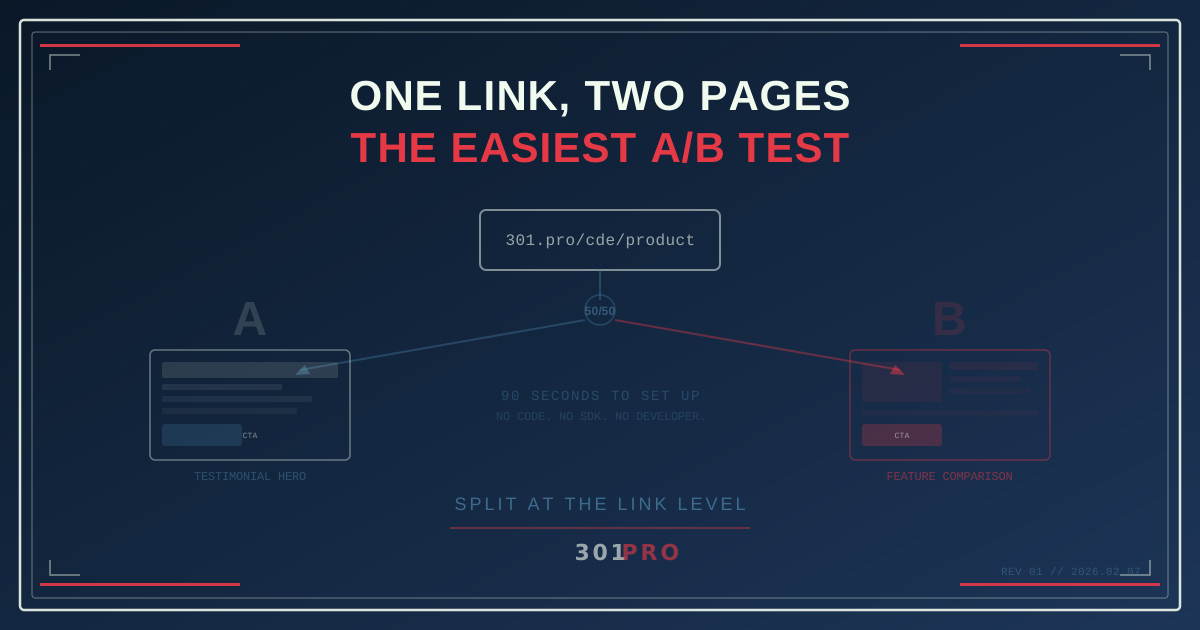
You Don’t Need a Testing Platform to A/B Test
Every time someone says “A/B testing,” a marketer’s eye twitches. Not because testing is bad — testing is how you stop guessing and start knowing. It’s because the setup usually involves a developer, a testing SDK, a JavaScript snippet, a cookie management strategy, and a three-week implementation timeline.
What if I told you the simplest A/B test in marketing takes about 90 seconds to set up, requires zero code, and works on any landing page you already have?
The Concept: Split at the Link, Not the Page
Traditional A/B testing works like this: everyone lands on the same URL, and JavaScript on the page decides which version they see. This requires:
- A testing tool installed on your site
- Developer time to implement variants
- Cookie management to keep users in the same bucket
- Enough traffic to reach statistical significance
- A prayer that ad blockers don’t break the test
Link-level split testing flips this entirely. Instead of one URL showing two pages, you create one short link that routes to two different URLs. Half the clicks go to Page A. Half go to Page B. That’s it.
No JavaScript. No cookies. No SDK. No developer. Just a link with a routing rule.
How It Works in Practice
Let’s walk through a real scenario. You’re launching a product page and your team can’t agree on whether the hero section should lead with a testimonial or a feature comparison.
Instead of debating for three meetings, test it.
Step 1: Build Both Pages
Create two versions of your landing page at two different URLs:
yoursite.com/product-v1— testimonial heroyoursite.com/product-v2— feature comparison hero
These are just two regular pages. No special testing code needed.
Step 2: Create a Split Link
In 301.Pro, create a new link and set up an A/B split rule:
- Destination A:
yoursite.com/product-v1→ 50% of traffic - Destination B:
yoursite.com/product-v2→ 50% of traffic
Your short link — say 301.pro/cde/product — now splits traffic evenly between both pages.
Step 3: Use the Link Everywhere
Put that one link in your email, your social post, your SMS campaign, your QR code, your ad. Every channel points to the same short URL. The routing happens at the redirect level, invisible to the user.
Step 4: Read the Results
301.Pro’s analytics show you click-through data for each destination separately. After a week (or whenever you hit your confidence threshold), you’ll know which page performs better.
No developer sprints. No implementation tickets. No “we’ll add testing in Q3.”
Why Link-Level Splitting Is Underrated
It Works With Any Page
Your landing pages can be on different platforms entirely. Page A on Webflow, Page B on your WordPress site? Doesn’t matter. The link doesn’t care where it’s sending traffic — it just splits it.
This is impossible with traditional A/B testing tools, which require both variants to live on the same domain with the same testing SDK installed.
It Works Across Channels
When you A/B test at the page level, you’re testing one channel at a time. An Optimizely test on your website only measures website visitors. It doesn’t tell you how email recipients or social media clickers respond differently.
A split link works everywhere simultaneously. The same link in an email, a tweet, and an SMS campaign all route through the same split. You get cross-channel data from a single test.
It’s Immune to Ad Blockers
Here’s one most people miss: ad blockers kill JavaScript-based testing tools. If 30-40% of your audience uses an ad blocker, your A/B test is running on a biased sample from day one.
Link-level routing happens server-side during the redirect. There’s no client-side code to block. Every click is counted, every split is clean.
It’s Instant
Traditional A/B test setup: developer implements, QA verifies, stakeholders review, test goes live. Timeline: 1-3 weeks.
Link split test setup: create link, set percentages, share link. Timeline: 90 seconds.
Beyond 50/50: Advanced Split Patterns
A/B testing doesn’t have to mean equal splits. Here are patterns that get interesting:
The 90/10 Canary Test
Sending 90% of traffic to your proven page and 10% to the experiment. This limits risk while still gathering data. Perfect for testing radical redesigns where a full 50/50 split feels too risky.
The Multi-Variant Split
Why stop at two? Route 33/33/34 across three variations. Test your testimonial hero, your feature comparison, and your video demo all at once.
The Gradual Rollout
Start at 95/5, then move to 80/20, then 50/50 as confidence grows. You’re not just testing — you’re gradually rolling out the winner while continuously validating.
The Geo-Layered Split
Combine A/B splits with 301.Pro’s geo-routing rules. Run one test for US visitors and a completely different test for European visitors. Same link, different experiments based on location.
What to Test (And What Not To)
Good candidates for link-level A/B tests:
- Landing page designs (hero, layout, imagery)
- Different offers (20% off vs. free shipping)
- Long-form vs. short-form content
- Video landing page vs. text landing page
- Pricing page variants
- Completely different platforms (Webflow vs. custom page)
Not great for link-level tests:
- Button color changes (test this on-page with a proper tool)
- Micro-copy variations within a page
- Anything requiring the same URL for SEO purposes
The rule of thumb: if your variants live at different URLs, test with links. If your variants are modifications within the same page, use an on-page testing tool.
The Math: How Long Until You Know?
The dirty secret of A/B testing is that most tests end too early. Here’s a quick reference:
| Daily Clicks | Conversion Rate | Days to 95% Confidence |
|---|---|---|
| 100 | 5% | ~30 days |
| 500 | 5% | ~7 days |
| 1,000 | 5% | ~3-4 days |
| 5,000 | 5% | ~1 day |
If your link gets fewer than 100 clicks per day, be patient. Declaring a winner after 48 hours on low traffic is how you mistake noise for signal.
The Bottom Line
A/B testing doesn’t have to be a project. It doesn’t require a developer, a testing platform, or a budget line item. It requires a link, two landing pages, and the discipline to let the data tell you which one wins.
The best test is the one that actually runs. And the test that actually runs is the one that takes 90 seconds to set up.
One link. Two pages. Real answers.