What iOS Privacy Changes Mean for Your Marketing Links
← Back to Blog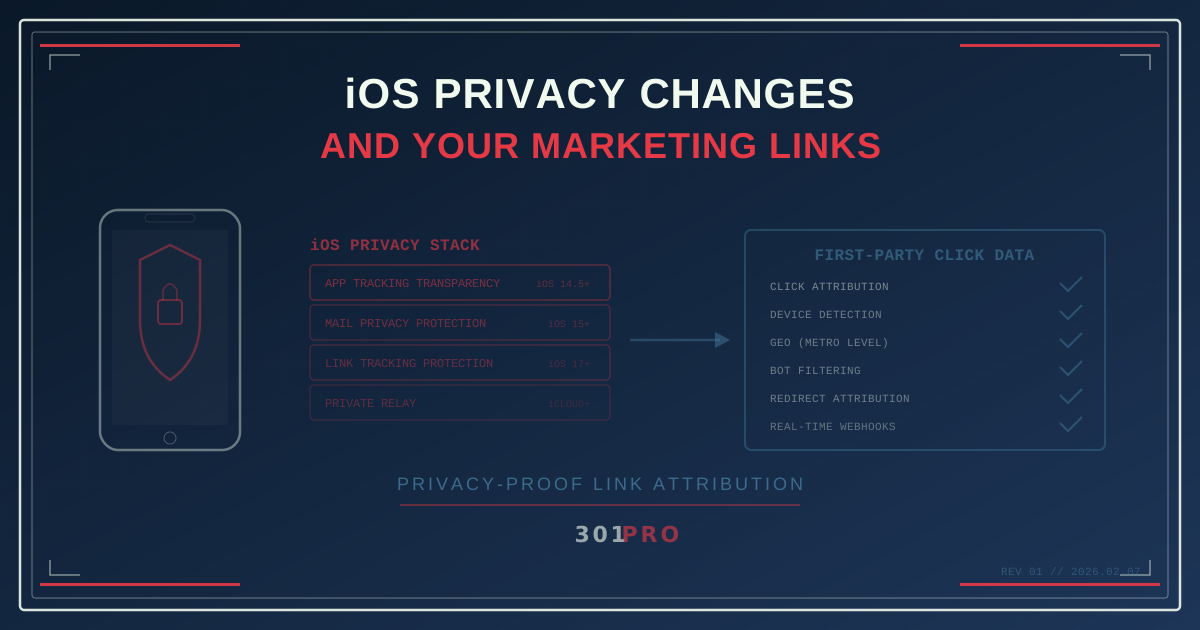
Apple Is Rewriting the Rules (Again)
Every year at WWDC, Apple announces something that makes marketers nervous. App Tracking Transparency. Mail Privacy Protection. Link Tracking Protection. Private Relay. Each one chips away at another piece of the tracking infrastructure marketing has relied on for a decade.
And every year, the same panic cycle: “Marketing is dead!” followed by “Actually, here’s the workaround,” followed by quiet adaptation.
But here’s the thing — Apple isn’t randomly breaking your marketing. They’re systematically dismantling cross-site tracking, fingerprinting, and passive surveillance. If your link strategy depends on any of those, yes, you have a problem. If it doesn’t, you’re fine.
Let’s break down what actually changed, what it means for your links, and what to do about it.
The iOS Privacy Timeline
App Tracking Transparency (iOS 14.5, 2021)
The big one. ATT requires apps to ask permission before tracking users across other companies’ apps and websites. Opt-in estimates vary by source and vertical, but industry trackers commonly put it around 25% — meaning roughly three in four iOS users say “no thanks” to being tracked.
Impact on links: If your attribution model relies on the Facebook pixel or similar cross-app tracking to connect an ad click to a conversion, you lost visibility on most iOS users. The click happened, the conversion happened, but you can’t connect them through the app’s tracking framework anymore.
Mail Privacy Protection (iOS 15, 2021)
Apple’s Mail app started pre-fetching all email images and links, routing them through proxy servers. This means:
- Open tracking is dead. Every email appears “opened” because Apple pre-fetches the tracking pixel.
- IP-based geolocation from email is unreliable. The IP you see is Apple’s proxy, not the user’s actual location.
- Link pre-fetching inflates click counts. Some links get “clicked” by Apple’s system before the human ever sees the email.
Impact on links: If you’re counting email link clicks without bot filtering, your numbers include Apple’s automated pre-fetches. Your “click” data is inflated. Your open rates are fiction.
Link Tracking Protection (iOS 17, 2023)
Safari and Messages started stripping known tracking parameters from URLs. Those fbclid, gclid, and custom tracking parameters you append to links? Safari removes them before the destination page loads.
Impact on links: If your attribution depends on URL parameters surviving the redirect chain, iOS 17 broke it. Parameters that existed when the user clicked may not exist when they arrive at your site.
Private Relay (iCloud+)
Apple’s Private Relay masks the user’s IP address for Safari browsing, routing traffic through two separate relays. The destination site sees an IP that maps to the user’s general region but not their specific location.
Impact on links: IP-based geolocation becomes less precise for iCloud+ users browsing in Safari. You can still identify the country and general metro area, but not the ZIP code.
What Still Works
Here’s the good news: Apple’s privacy changes target specific tracking mechanisms, not all analytics. Understanding the difference is the key to adapting.
First-Party Link Clicks Still Work
When a user clicks a 301.Pro link, that’s a first-party interaction. The user intentionally tapped a link. The click happens on your domain. No cross-site tracking involved. Apple has no reason to block or mask first-party click data.
What you capture at click time:
- The click itself — someone engaged with your content
- Device type — iOS, Android, desktop (user agent data)
- General location — country and metro area (even with Private Relay)
- Time of click — when the engagement happened
- Referring context — which channel drove the click
This is first-party data from an intentional user action. It’s exactly the kind of data Apple considers acceptable.
Bot-Filtered Click Data
This is where most email marketers go wrong. Mail Privacy Protection inflates click numbers because Apple’s servers pre-fetch links. If you count those as real clicks, your analytics are garbage.
301.Pro’s Intelligent Bot Management detects and filters automated clicks — including Apple’s Mail Privacy Protection pre-fetches, email security scanners, and link preview generators. The clicks you see in your dashboard are real human engagement, not machine traffic.
This distinction matters more than ever in an iOS-heavy world. If 60% of your email subscribers use Apple Mail, 60% of your “clicks” might be bots without proper filtering.
Redirect-Level Attribution
Link Tracking Protection strips parameters from the final URL. But here’s the key: the redirect happens before the parameter stripping. When 301.Pro processes a click, attribution is captured at the redirect layer — before Safari touches the destination URL.
Your attribution data lives in 301.Pro’s click record, not in URL parameters that may or may not survive the browser. The destination page doesn’t need to read fbclid or utm_source from the URL because the attribution was already recorded upstream.
Adapting Your Link Strategy for iOS
Use Distinct Links Instead of Parameters
Instead of one link with different UTM parameters per channel:
yoursite.com/sale?utm_source=email&utm_medium=newsletter
yoursite.com/sale?utm_source=instagram&utm_medium=social
Use distinct smart links:
301.pro/cde/sale-email
301.pro/cde/sale-ig
Both go to the same destination. Both capture attribution. But the attribution lives in the link itself, not in parameters that iOS might strip.
Filter Before You Analyze
Any time you see click data from an email campaign, assume a significant portion is automated until proven otherwise. Build your analytics on filtered data:
| Metric | Raw | Bot-Filtered | Difference |
|---|---|---|---|
| Email clicks | 12,400 | 5,200 | 58% were bots |
| Click-through rate | 24.8% | 10.4% | Actual engagement |
| Conversion rate | 1.2% | 2.9% | True performance |
The filtered numbers look “worse” but they’re real. You can make decisions on them. The raw numbers are a fantasy that leads to bad decisions.
Accept Regional Precision Over ZIP-Code Precision
Private Relay means you might know “San Francisco Bay Area” instead of “94105.” For most marketing purposes, metro-level precision is sufficient. You’re making campaign decisions at the city or region level anyway, not the street address level.
If you absolutely need precise location data, QR codes scanned in a physical location provide it — because the user is standing in your store, not browsing from an anonymized relay.
Embrace the Click as Your Measurement Moment
The old model measured everything passively: what ads were seen, what pages were browsed, what items were viewed across multiple sites, all stitched together by cookies and tracking pixels.
The new model measures the moment of intent: the click. When someone clicks your link, that’s an active choice. They wanted what was on the other side. That’s a stronger signal than “they might have seen your banner ad while scrolling Instagram.”
What About Android?
Android hasn’t implemented the same privacy restrictions, but the direction is clear. Google’s Privacy Sandbox is rolling out gradually. Third-party cookies are gone from Chrome. Android will continue to tighten tracking controls over time.
Building your attribution model on first-party click data isn’t just an iOS adaptation — it’s future-proofing. When Android catches up (and it will), your link-based attribution model will already be in place.
The Practical Checklist
Here’s what to do this week:
-
Audit your email click data. How much of it is bot traffic? If you don’t know, you’re making decisions on bad data.
-
Replace UTM-dependent attribution. Where you rely on URL parameters for channel attribution, switch to distinct links per channel.
-
Check your open rate reporting. If you’re still reporting email open rates as a meaningful metric, stop. They haven’t been reliable since iOS 15.
-
Test your links on iOS Safari. Click your own campaign links on an iPhone. Check if the parameters survive. If they don’t, your attribution model has a gap.
-
Move attribution upstream. Capture attribution at the click/redirect level, not at the destination page level. This is inherently iOS-proof because it happens before any browser-level privacy features kick in.
The Bottom Line
Apple isn’t trying to kill marketing. They’re trying to kill surveillance marketing — the kind that tracks people across the internet without their knowledge or meaningful consent.
Link-based attribution survives every iOS privacy update because it’s built on a simple, privacy-respecting foundation: someone clicked your link. That’s consent to engage. That’s first-party data. That’s all you need.
Stop fighting the privacy wave. Ride it.