Holiday Campaign Routing: Black Friday Links That Turn into Cyber Monday Links Automatically
← Back to Blog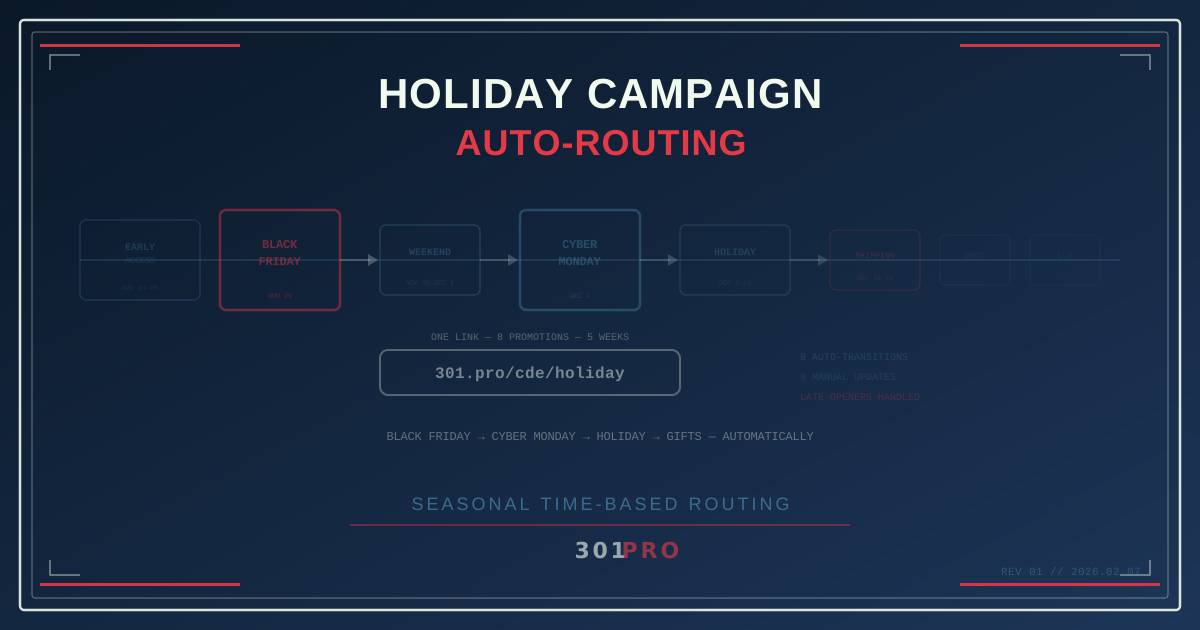
The Holiday Link Chaos
Every retail marketer knows this feeling: it’s 11 PM on Black Friday, and you’re manually updating links for Cyber Monday. The email that went out at 5 AM with Black Friday deals? Those links still work, but now they should point to Cyber Monday offers. The social posts from Wednesday? Same problem.
You’re juggling a spreadsheet of links, updating destinations one by one, hoping you don’t break something in the process. Meanwhile, your competitors’ links smoothly transitioned at midnight without anyone touching a thing.
The holiday season moves fast. Your links should move faster.
The Holiday Timeline Problem
The holiday shopping season isn’t one event. It’s a relay race of overlapping promotions, each with its own landing page, offer, and expiration:
| Date | Promotion | Landing Page |
|---|---|---|
| Nov 24–28 | Early Access | /deals/early-access |
| Nov 29 (Black Friday) | Black Friday Doorbusters | /deals/black-friday |
| Nov 30–Dec 1 | Weekend Deals | /deals/weekend-special |
| Dec 2 (Cyber Monday) | Cyber Monday | /deals/cyber-monday |
| Dec 3–15 | Holiday Sale | /deals/holiday-sale |
| Dec 16–20 | Last-Minute Shipping | /deals/express-shipping |
| Dec 21–24 | Gift Cards | /deals/gift-cards |
| Dec 26–31 | Year-End Clearance | /deals/clearance |
That’s eight different landing pages over five weeks. If you’re using direct links, every promotional email, social post, and paid ad needs a different URL — and stale links from earlier in the season confuse customers who click them later.
With time-based routing in 301.Pro, you create one holiday link that handles all eight transitions automatically.
Setting Up the Holiday Router
Here’s the practical setup:
One Master Holiday Link
Create: 301.pro/cde/holiday
This is your single holiday campaign link. It goes in your email header, your social media bio, your paid ads, your print flyers, and the QR code on your holiday packaging.
Time-Based Rules
Configure your rules to chain through the holiday calendar:
- Before Nov 29: Route to Early Access page
- Nov 29, 12:00 AM – 11:59 PM: Route to Black Friday Doorbusters
- Nov 30 – Dec 1: Route to Weekend Deals
- Dec 2, 12:00 AM – 11:59 PM: Route to Cyber Monday
- Dec 3 – Dec 15: Route to Holiday Sale
- Dec 16 – Dec 20: Route to Last-Minute Shipping
- Dec 21 – Dec 24: Route to Gift Cards
- After Dec 25: Route to Year-End Clearance
Set it up once in November. Don’t touch it again until January.
Why This Matters for Email
Email is where time-based routing shines brightest during the holidays. Here’s why:
The Late-Opener Problem
Your Black Friday email blast goes out at 5 AM on November 29th. Sixty percent of recipients open it that day. Great — they see Black Friday deals.
But 25% open it on Saturday. And 10% open it on Monday. Without time-based routing, those late openers click a link to Black Friday deals that may have expired. With time-based routing, the Saturday openers see Weekend Deals and the Monday openers see Cyber Monday — automatically.
The link adapts to when the customer clicks, not when you sent the email.
The Re-Engagement Cascade
Holiday emails have high forward and share rates. Your subscriber forwards the Black Friday email to a friend on December 5th. That friend clicks the link and sees… the Holiday Sale page, because that’s the current promotion. Not an expired Black Friday page. Not a 404 error.
Every forwarded email becomes a living link to your current best offer.
The Paid Ads Advantage
Paid advertising during the holidays is expensive. Every click costs money. Wasting that spend on outdated landing pages is literally throwing money away.
Campaign Continuity
With a time-based link as your ad destination, you can run continuous campaigns without pausing to update creative. Your Google Ads campaign runs from November 24 through December 31 with one destination URL. The landing page changes automatically based on the current promotion.
No ad disapproval periods while you swap URLs. No risk of ads running with stale destinations. No midnight emergency to update 47 ad sets.
Quality Score Protection
In paid search, landing page relevance affects your Quality Score and therefore your cost per click. A user searching for “Cyber Monday deals” who clicks your ad and lands on a Black Friday page has a poor experience — and Google notices. Time-based routing ensures the landing page always matches the current moment.
Layering with Geography
The holidays aren’t the same everywhere. Combine time-based rules with geo-routing for sophisticated seasonal campaigns:
Time Zone Alignment
Black Friday starts at midnight. But midnight in New York is 9 PM in Los Angeles. Your rules can account for time zones:
- East Coast customers see Black Friday deals starting at midnight ET
- West Coast customers see Early Access deals until midnight PT
- International customers see their region’s appropriate promotion
Regional Promotions
Different regions might have different holiday offers. A retailer with stores in cold-weather and warm-weather markets might promote winter gear in Minnesota and outdoor entertaining in Florida — through the same holiday link.
The Physical Marketing Problem
Holiday season means physical marketing at scale: packaging inserts, shopping bags, window displays, direct mail, catalog pages, and promotional products. All printed weeks before the season starts.
The QR code on your holiday catalog is printed in October. The catalog ships to homes in mid-November. Customers scan the QR code anytime between Thanksgiving and New Year’s.
If that QR code encodes a direct URL to a Black Friday page, it’s wrong for six of the eight promotional windows. If it encodes a 301.Pro link with time-based routing, it’s right every time.
The catalog doesn’t change. The link destination evolves with the season.
Post-Holiday Intelligence
After the holiday rush, your time-based link analytics tell a story:
- Which promotional window generated the most clicks? Did Black Friday still dominate, or is Cyber Monday catching up?
- What’s the click-through pattern for late email openers? How much traffic comes from emails opened days after sending?
- Which geographic regions responded to which promotions? Did the gift card promotion perform better in some regions?
- What devices drove holiday traffic? Mobile typically dominates Black Friday (in-store browsing), while desktop leads Cyber Monday (home shopping).
301.Pro’s Click Data Enrichment separates human clicks from bot traffic — critical during the holidays when bot activity spikes along with legitimate traffic. Your reports reflect actual customer behavior, not inflated numbers from link preview bots and security scanners.
The Year-Round Template
Once you’ve built a holiday routing template, you can replicate it for every seasonal campaign:
| Season | Routing Chain |
|---|---|
| Valentine’s Day | Teaser → Early Bird → V-Day → Last-Minute Gifts |
| Back to School | Preview → Early Deals → Last Chance → In-Season |
| Summer Sale | Preview → Memorial Day → July 4th → End of Summer |
| Holiday | (The full eight-phase chain above) |
Each season gets one master link with time-based rules. Your link library stays clean — four seasonal links instead of 30+ individual promotion links.
The Email Calendar Integration
For email marketers, the power move is aligning your email calendar with your time-based routing:
- Plan the full season before sending the first email
- Create one master holiday link with all time-based rules configured
- Use the same link in every holiday email — early access teaser, Black Friday blast, Cyber Monday reminder, shipping deadline alert, gift card promo
- Late openers always see the right thing because the link is time-aware
This eliminates the most common holiday email mistake: someone opening your Black Friday email on December 10th and clicking through to an expired promotion.
Getting Started
For your next holiday season:
-
Map your promotion calendar. List every promotion, its start and end dates, and its landing page URL.
-
Create your master holiday link. One link for the entire season.
-
Configure time-based rules. Set up transitions for each promotion window. Be precise about start and end times.
-
Deploy early. Use the link in pre-season marketing. The Early Access rules handle clicks before the main promotions start.
-
Include the gift card fallback. After all promotions end, route to a gift card or general shopping page. Links never die.
-
Review after the season. Analyze click patterns across promotional windows to optimize next year’s calendar.
The Bottom Line
The holiday season is too fast and too important for manual link management. Every hour you spend updating links is an hour not spent on strategy, creative, or customer experience.
One link. Eight promotions. Five weeks. Zero manual updates.
Set your holiday routing rules in November, and let your links handle the rest while you focus on what actually matters — selling products and making customers happy.
Happy holidays. Your links will take care of themselves.