Global Campaign, Local Landing Pages: Routing International Traffic the Right Way
← Back to Blog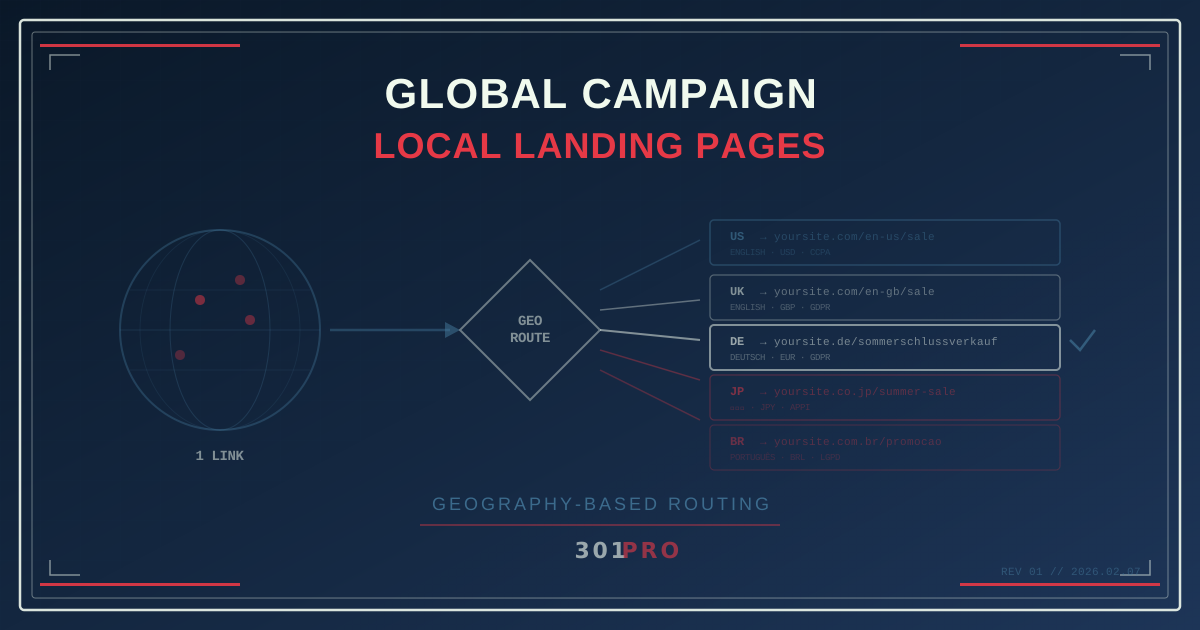
The Translation Isn’t the Hard Part
You’ve localized your website into five languages. You have region-specific landing pages for North America, Europe, LATAM, and Asia-Pacific. Your checkout supports twelve currencies. The content team spent months getting the French copy right and the Japanese pricing tables perfect.
Then marketing sends one email to your global list with one link.
A customer in Tokyo clicks and lands on the English-language page with USD pricing. A customer in São Paulo sees the same thing. A customer in Berlin — who has a perfectly localized German page waiting for them — gets the US version because that’s what the link points to.
Your localization effort just became invisible.
The problem was never the translation. It was the link.
Why One Link Needs to Go Many Places
International marketing creates a fundamental routing challenge: you have one message (one email, one social post, one QR code, one ad) but multiple destinations based on who clicks and where they’re clicking from.
The traditional solutions are all bad:
Multiple links in one email. “Click here for the US site. Click here for the UK site. Click here for Germany.” Nobody reads that. Nobody clicks the third option. And it looks terrible.
Browser language detection on the landing page. Unreliable. A French businessperson traveling in Japan has their browser set to French, but they might want the Japanese store page because that’s where they’ll pick up the order. Browser language ≠ physical location.
IP-based redirects on your own server. This works, technically, but now you need custom redirect logic on every landing page for every campaign. Your engineering team just became a bottleneck for every marketing launch.
One page for everyone. The “we’ll figure it out later” approach. Your global visitors get a generic English page and a language picker buried in the footer. Conversion rates tell the story: they leave.
The right answer is geography-based routing at the link level — before the user ever reaches your site.
How Geo-Routing Works in Practice
301.Pro’s geography-based marketing feature inspects the click’s origin and routes to the appropriate destination. The detection happens at the edge, using the clicker’s IP geolocation, and the redirect fires in milliseconds.
Here’s what a global campaign link looks like:
| Click Origin | Destination |
|---|---|
| United States | yoursite.com/en-us/summer-sale |
| United Kingdom | yoursite.com/en-gb/summer-sale |
| Germany | yoursite.de/sommerschlussverkauf |
| France | yoursite.fr/soldes-ete |
| Japan | yoursite.co.jp/summer-sale |
| Brazil | yoursite.com.br/promocao-verao |
| Default | yoursite.com/en/summer-sale |
One link: 301.pro/cde/summer-sale. Share it globally. Everyone lands on the right page.
Setting Up a Global Campaign: Step by Step
Step 1: Map Your Destinations
Before you create the link, inventory your localized pages:
- Which countries have dedicated landing pages?
- Which share a page? (e.g., US and Canada might share
en-us) - What’s your fallback for unmatched countries?
Be realistic. You probably don’t have 195 country-specific pages. You have 5-10 regional pages and a default. That’s fine. Route what you have, default the rest.
Step 2: Create Routing Rules
In 301.Pro, set up geography rules by priority:
| Priority | Condition | Destination |
|---|---|---|
| 1 | Country = Germany | German landing page |
| 2 | Country = France | French landing page |
| 3 | Country = Japan | Japanese landing page |
| 4 | Country = Brazil | Brazilian landing page |
| 5 | Country = United Kingdom | UK landing page |
| 6 | Region = Europe (other) | English EU page |
| 7 | Region = Asia-Pacific (other) | English APAC page |
| Default | US English page |
Notice the hierarchy: specific countries first, then regional catch-alls, then a global default. This means a click from Spain (no dedicated page) still gets the EU version instead of the US page.
Step 3: One Link, Everywhere
Use your single link in every channel:
- Global email blast
- Social media posts
- Influencer partnerships across countries
- International press releases
- QR codes on global packaging
No more “US link goes in the US email, EU link goes in the EU email.” One campaign, one link, one launch.
Advanced Patterns for Global Routing
Continental Routing with Country Overrides
Start broad, get specific where it matters:
| Priority | Rule | Destination |
|---|---|---|
| 1 | Country = Germany | German site (your biggest EU market) |
| 2 | Country = France | French site (second biggest EU market) |
| 3 | Continent = Europe | EU English site |
| 4 | Country = Japan | Japanese site |
| 5 | Continent = Asia | APAC English site |
| 6 | Country = Brazil | Portuguese site |
| 7 | Continent = South America | LATAM Spanish site |
| Default | US English site |
This covers the entire globe with seven rules and a default.
Language + Location Stacking
Canada has English and French speakers. Belgium has Dutch, French, and German speakers. Switzerland has four official languages. Geography alone isn’t enough for these markets.
Combine geo-routing with browser language detection:
| Condition | Destination |
|---|---|
| Canada + French browser | French Canadian page |
| Canada + English browser | English Canadian page |
| Belgium + Dutch browser | Dutch Belgian page |
| Belgium + French browser | French Belgian page |
| Belgium + Other | English Belgian page |
Now your Canadian campaign link routes French-Canadians to the French page and English-Canadians to the English page — same country, different experiences.
Currency and Pricing Alignment
A European visitor landing on a page with USD pricing has to mentally convert every number. That friction kills conversions. Geo-routing ensures:
- US visitors see USD
- UK visitors see GBP
- EU visitors see EUR
- Japanese visitors see JPY
Not by changing the price on one page — by routing to the page that already has the right currency built in.
Geo + Time Stacking
Global campaigns cross time zones. Your flash sale runs from “midnight to midnight” — but whose midnight?
| Condition | Destination |
|---|---|
| US + Sale active (local time) | Sale landing page (USD) |
| US + Sale ended (local time) | “Sale ended” page with next promotion |
| UK + Sale active (local time) | Sale landing page (GBP) |
| UK + Sale ended (local time) | “Sale ended” page (UK) |
Your 24-hour flash sale actually runs for 24 hours in every timezone. Not 24 hours from when you launched it in New York.
The Compliance Angle
Different countries have different legal requirements for marketing pages:
- EU (GDPR): Cookie consent banners, specific privacy disclosures
- California (CCPA): “Do not sell my personal information” links
- Brazil (LGPD): Portuguese-language privacy notices
- Japan (APPI): Specific data handling disclosures
Geo-routing lets you send each visitor to a page that’s already compliant for their jurisdiction. Your German page has the GDPR banner. Your California page has the CCPA notice. You’re not trying to build one page that handles every regulation — you’re routing to pages that are already built right.
What the Data Shows
When global campaigns go through 301.Pro, you get geography breakdowns you can’t get any other way:
- Click volume by country: Where is your audience, really? Not where you think they are — where they actually click from.
- Conversion by region: Does your German landing page outperform your French one? Is the Japanese page underperforming because of content or because of smaller audience?
- Unexpected markets: You might discover significant click volume from countries where you don’t have a localized page. That’s a signal to create one.
- Campaign timing: When do your European customers engage vs. your Asian customers? Optimize send times by region.
Bot filtering ensures these geo insights represent real people, not datacenter traffic that happens to resolve to specific countries.
Common Mistakes in International Routing
Routing by language instead of location. A Spanish-speaking user in Miami should get the US page (with US shipping, US pricing), not the Mexico page. Location beats language for commerce.
Forgetting mobile app store differences. If your campaign includes app download links, remember that App Store and Play Store links are region-specific. Geo-routing handles this by sending Japanese iOS users to the Japanese App Store listing.
Ignoring the default. Your default destination handles every country you didn’t explicitly route. If you have 10 rules covering 10 countries, the default handles the other 185. Make it a good experience, not an afterthought.
Over-routing. You don’t need a rule for every country on earth. Start with your top 5-10 markets, use regional catch-alls for clusters, and have a solid default. You can always add more specific rules as traffic data justifies them.
The Bottom Line
A global campaign with a single destination is a local campaign in disguise. You spent the money to localize your content — make sure your links actually deliver people to it.
One link. Every country. The right language, the right currency, the right landing page. Automatically.
That’s how global marketing should work.