GDPR, CCPA, and Your Short Links: A Practical Compliance Guide
← Back to Blog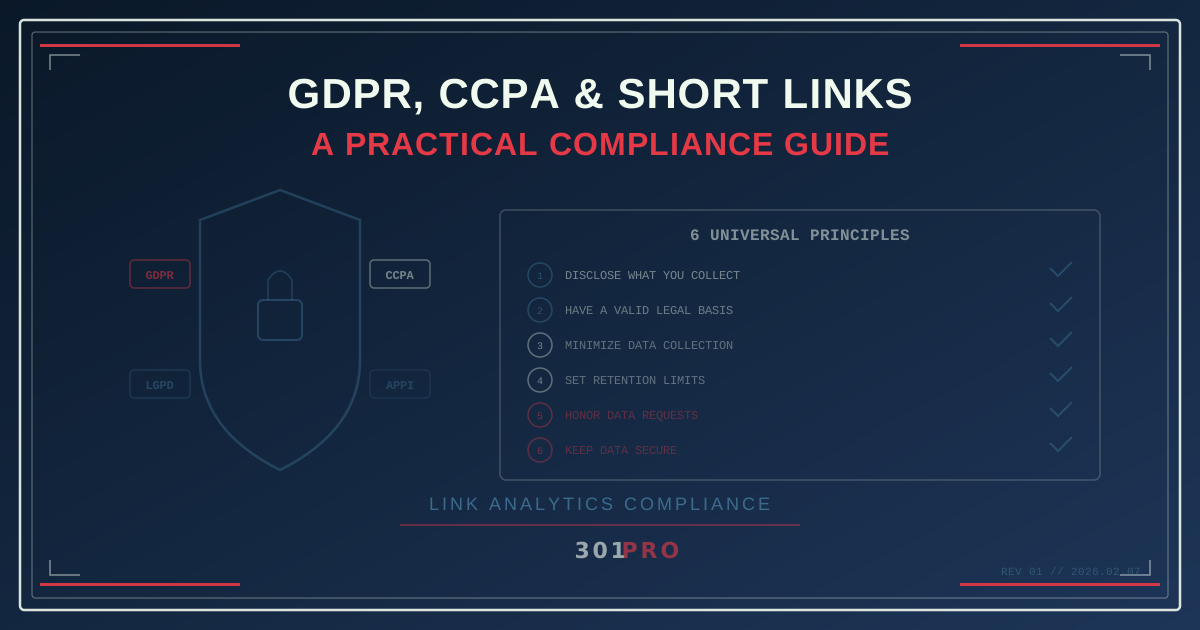
The Compliance Question Nobody Asks
You use short links. Every click generates data: IP address, device type, browser, location, timestamp. You use that data to measure campaign performance, segment audiences, and optimize conversions.
Quick question: is any of that data “personal data” under GDPR? Does it count as “personal information” under CCPA? And if so, what are you supposed to do about it?
Most marketers either panic (“We need to delete everything!”) or ignore it (“It’s just link analytics, nobody cares”). Both are wrong. The reality is somewhere in the middle, and it’s more manageable than you think.
This isn’t legal advice. But it is a practical guide to what privacy regulations actually say about link analytics data, written by people who’ve thought about this more than anyone should have to.
What Data Do Short Links Collect?
When someone clicks a short link, the redirect service typically captures:
| Data Point | Example | Personal Data? |
|---|---|---|
| IP address | 203.0.113.42 | Yes (under GDPR) |
| Timestamp | 2026-02-07 14:23:08 UTC | By itself, no |
| User agent | Chrome 120, macOS 14, iPhone 16 | Gray area |
| Referrer | twitter.com | No |
| Geolocation (from IP) | Chicago, Illinois, US | Derived from IP |
| Link clicked | /cde/spring-sale | No |
The key item is the IP address. Under GDPR, an IP address is personal data because it can, in combination with other data, identify a person. Under CCPA, it’s “personal information” when it identifies or could be linked to a consumer or household.
Everything derived from the IP (like geolocation) inherits the same classification.
What GDPR Actually Requires
GDPR applies to any data that identifies or could identify a “natural person” in the EU/EEA. Here’s what it means for link analytics:
Lawful Basis for Processing
You need a legal reason to process personal data. For link analytics, the most relevant bases are:
Legitimate interest — You have a legitimate business interest in understanding how your marketing links perform. This is the most common basis for analytics. You need to document your legitimate interest assessment (LIA) and ensure the processing doesn’t override the individual’s rights.
Consent — If you’re using link analytics for purposes beyond basic performance measurement (like building detailed user profiles), you may need explicit consent.
For standard link analytics — counting clicks, measuring geographic reach, identifying device types — legitimate interest is generally sufficient. You’re measuring campaign performance, not building surveillance profiles.
What You Must Do
-
Mention it in your privacy policy. Your privacy policy should disclose that you use link redirect services and what data is collected. It doesn’t need to be a full page — a paragraph in your “Analytics and Tracking” section covers it.
-
Minimize data collection. Only collect what you need. If you don’t need the full IP address, truncate it. If you don’t need individual-level tracking, aggregate the data.
-
Set retention limits. Don’t keep click data forever. Define how long you need it (30 days? 90 days? 12 months?) and delete it after.
-
Process data within the EU (or ensure adequate safeguards). If your link redirect service processes data outside the EU, ensure appropriate transfer mechanisms are in place (Standard Contractual Clauses, adequacy decisions, etc.).
-
Honor data subject requests. If someone asks what data you have about them, you need to be able to find and report it. If they ask you to delete it, you need to comply.
What You Don’t Need to Do
- You don’t need a cookie consent banner for link redirects. The redirect happens server-side — no cookies are set on the user’s device during the redirect.
- You don’t need explicit consent for basic click analytics under legitimate interest.
- You don’t need to ask permission before someone clicks a link. The analytics happen as part of the redirect, which is a necessary technical step in resolving the shortened URL.
What CCPA Actually Requires
CCPA (and its successor CPRA) applies to businesses that collect personal information from California residents. The threshold for “personal information” is broad — IP addresses, geolocation, browsing history, and inferences drawn from any of these all count.
Key Obligations
-
Disclose in your privacy policy. List the categories of personal information you collect, including “internet or network activity information” (which covers click data) and “geolocation data.”
-
Provide a “Do Not Sell or Share” mechanism. If you use click data for cross-context behavioral advertising or share it with third parties for their own purposes, you need a “Do Not Sell or Share My Personal Information” link on your site.
-
Honor opt-out requests. If a California resident opts out of sale/sharing, stop using their data for those purposes.
-
Don’t discriminate. You can’t offer worse service or higher prices to consumers who exercise their privacy rights.
The Practical Reality
For most businesses using short links for their own marketing analytics:
- You’re collecting click data for your own use (not selling it)
- The data is aggregate campaign performance metrics
- Individual clicks aren’t being used for cross-context behavioral advertising
In this scenario, your main obligation is disclosure in your privacy policy and honoring any opt-out or deletion requests.
Other Regulations to Know About
LGPD (Brazil)
Similar to GDPR. IP addresses are personal data. You need a legal basis (legitimate interest works for analytics). Disclosure in privacy policy required.
APPI (Japan)
Personal information includes data that can identify an individual. IP addresses alone may not qualify, but combined with other data, they can. Disclosure required.
POPIA (South Africa)
Personal information includes any information relating to an identifiable person. Same pattern: disclose, minimize, retain only as needed.
The Pattern
Every major privacy regulation follows the same basic structure:
- Tell people you’re collecting data
- Have a valid reason for collecting it
- Don’t collect more than you need
- Don’t keep it longer than you need
- Let people access and delete their data
- Keep it secure
If you follow these six principles, you’re 90% compliant everywhere.
How 301.Pro Handles This
301.Pro is designed with privacy compliance in mind:
Data Minimization
Click Data Enrichment captures what’s needed for analytics without building individual user profiles. Click data is enriched (device, location, time) but not cross-referenced to create persistent identity graphs.
Bot Filtering as Privacy Protection
Ironically, bot filtering is a privacy feature. By removing automated traffic from your analytics, you’re processing less data overall — and the data you do process is from genuine human interactions where someone actively chose to click your link.
First-Party Data Architecture
Because clicks happen on your domain (or your branded short domain), the data is first-party by nature. This simplifies compliance because first-party analytics are treated more favorably than third-party tracking under every major privacy regulation.
No Third-Party Sharing
301.Pro doesn’t share your click data with ad networks, data brokers, or other third parties. The data stays in your account for your analytics. This means the “sale/sharing” provisions of CCPA typically don’t apply.
The Practical Checklist
Here’s what to actually do this week:
Privacy Policy Updates
Add a section covering link analytics. Template language:
We use link management services to track the performance of our marketing links. When you click a shortened or tracked link, the following data may be collected: IP address (for approximate geolocation), device type, browser type, time of click, and referring source. This data is used to measure campaign performance and is retained for [X months]. [Link management provider] processes this data on our behalf under a Data Processing Agreement.
Data Retention Policy
Decide how long you need click data. Common retention periods:
| Use Case | Recommended Retention |
|---|---|
| Campaign performance reporting | 90 days |
| Quarterly business review data | 12 months |
| Year-over-year trend analysis | 24 months |
| Real-time routing optimization | 30 days |
Set it, document it, enforce it.
Data Processing Agreement
If your link management provider processes personal data on your behalf, you need a DPA (Data Processing Agreement) under GDPR. Most SaaS providers offer standard DPAs. Review it. Sign it. File it.
Opt-Out Mechanism
If you’re subject to CCPA and use click data in ways that could be considered “sharing” (sending it to other platforms for advertising purposes), add a “Do Not Sell or Share” mechanism. For most businesses doing standard analytics, this isn’t triggered — but check with your legal team.
Record of Processing Activities
GDPR requires a record of your data processing activities. Add link analytics to your ROPA. Include: what data is collected, why, how long it’s kept, who has access, and what security measures protect it.
Common Questions
”Do I need consent before someone clicks a link?”
No. The click is the user’s action. The redirect is a technical necessity. Analytics during the redirect happen server-side without cookies on the user’s device. Under most frameworks, legitimate interest covers this.
”What if someone requests deletion of their click data?”
You’ll need to find clicks associated with their identifier (IP address, if you haven’t anonymized it) and delete them. This is easier if you aggregate and anonymize data early. If you truncate IPs after 24 hours, there’s nothing to delete.
”Are QR code scans treated differently?”
No. A QR code scan is just a click initiated by a camera instead of a tap. The same data is collected, and the same rules apply.
”Is link analytics different from website analytics?”
Technically, yes. Link analytics happen during the redirect (server-side), while website analytics typically happen on the landing page (client-side with cookies). Server-side link analytics are generally simpler from a compliance perspective because no cookies are involved.
The Bottom Line
Privacy compliance for link analytics isn’t the monster under the bed. The data you collect (IP, device, location, time) is basic, the purpose is clear (campaign measurement), and the regulations all follow the same pattern: be transparent, be minimal, be secure.
Tell people what you collect. Collect only what you need. Delete it when you’re done. That’s 90% of compliance right there.
The other 10% is documentation. Do the paperwork, file the DPA, update the privacy policy. Then go back to optimizing your campaigns with data you can actually trust — and that your users’ rights are protected while you do it.