First-Party Pixels: How to Get Complete Analytics When Ad Blockers Block Everything
← Back to Blog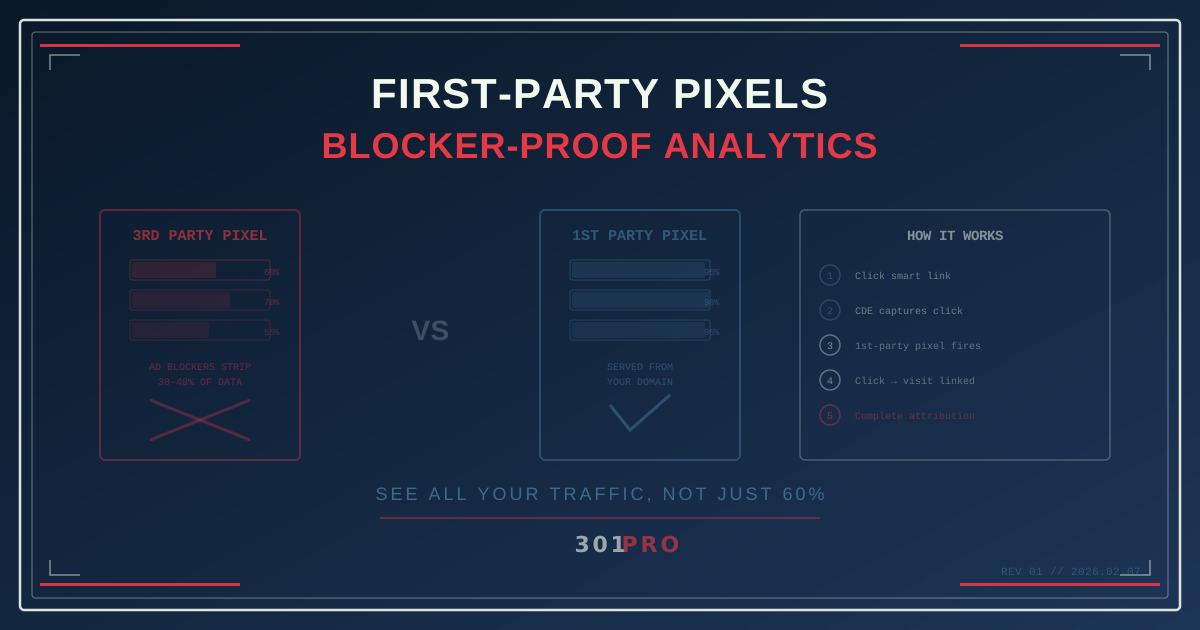
The Missing 30%
You just ran a landing page campaign. Your analytics dashboard says 7,000 people visited the page last week. But your server logs say 10,000. Where did the other 3,000 go?
Ad blockers ate them.
Roughly 30-40% of desktop web users run ad blockers. Those blockers don’t just hide advertisements — they strip out third-party tracking pixels, analytics scripts, and conversion tags. If your analytics pixel loads from analytics.thirdparty.com or pixel.adnetwork.io, the ad blocker sees a third-party domain making a tracking request and kills it.
Your page still loaded. The user still visited. They might have even bought something. But your analytics never knew they were there.
This is the difference between your analytics data and reality. And for 30-40% of your traffic, you’re blind.
How Ad Blockers Decide What to Block
Ad blockers maintain filter lists — massive databases of domains and URL patterns known to be trackers. If a network request matches the list, it gets blocked. The most popular list (EasyList) has over 100,000 rules.
Here’s what typically gets blocked:
| Request Type | Blocked? | Example |
|---|---|---|
| Third-party analytics pixel | Yes | pixel.facebook.com/tr |
| Third-party tracking script | Yes | analytics.google.com/ga.js |
| Known ad network requests | Yes | doubleclick.net/* |
| First-party page resources | No | yoursite.com/logo.png |
| First-party API calls | No | yoursite.com/api/data |
| First-party pixel | No | yoursite.com/px |
The pattern is clear: third-party = blocked. First-party = allowed. Ad blockers (rightly) trust that your own domain’s resources are legitimate parts of the page experience.
Enter First-Party Pixels
A first-party pixel is a tracking pixel served from your own domain — not from a third-party analytics or ad platform domain. Instead of loading from pixel.tracker.com, it loads from yoursite.com/px.
From the browser’s perspective, this is just your site loading its own resources. The ad blocker has no reason to block it. The browser has no reason to restrict it. Privacy settings don’t flag it.
301.Pro’s First Party Pixel Analytics works exactly this way. The pixel is served from your domain (or your branded short link domain), making it invisible to ad blockers while still capturing the analytics data you need.
What First-Party Pixels Capture
A properly implemented first-party pixel captures everything a third-party pixel would — minus the cross-site tracking that gets blocked:
Page Views
The pixel fires when the page loads. You know someone visited. This sounds basic, but remember — 30-40% of your page views are invisible to blocked third-party pixels.
Referrer Data
Where did the visitor come from? The HTTP referrer tells you whether they arrived from search, social, email, or a direct link. First-party pixels capture this because the browser sends referrer data to your own domain without restriction.
Device and Browser Information
User agent data reveals the device type, operating system, and browser. This helps segment your analytics: Are mobile visitors behaving differently from desktop? Are Chrome users converting better than Safari users?
Connection to Click Data
This is where it gets powerful. When a visitor arrives via a 301.Pro smart link, the click data from the redirect is already captured. The first-party pixel on the landing page connects the arrival to the click, creating a complete chain:
- Click → Captured at redirect (channel, device, location, time)
- Arrival → First-party pixel fires on page load
- Engagement → Page views, scroll depth, form interactions
- Conversion → Purchase, signup, download
Every step is first-party. Every step survives ad blockers.
The Analytics Gap: With and Without First-Party Pixels
Let’s compare what you see with third-party pixels vs. first-party:
| Metric | Third-Party Pixel | First-Party Pixel |
|---|---|---|
| Total page views captured | 60-70% of actual | 95%+ of actual |
| Mobile visitors tracked | ~75% (lower blocker rates) | ~98% |
| Desktop visitors tracked | ~55-65% (higher blocker rates) | ~95% |
| Conversion events recorded | 60-70% of actual | 95%+ of actual |
| Reported conversion rate | Inflated (biased sample) | Accurate |
Wait — the third-party pixel shows a higher conversion rate? Yes, and that’s the trap. If ad blocker users convert at a different rate than non-blocker users (they often do — tech-savvy users with blockers have different buying patterns), your conversion rate is skewed. You’re making optimization decisions based on a biased sample.
First-party pixels give you the full picture.
Implementation: How It Actually Works
The Simple Version
A first-party pixel is typically a tiny image (1x1 pixel) or a lightweight JavaScript call that:
- Is served from your own domain
- Includes a unique identifier connecting it to the page/session
- Sends a request to your analytics backend when the page loads
- Records the visit with all available contextual data
With 301.Pro
301.Pro’s First Party Pixel is designed to work with your smart links. Here’s the flow:
- Set up your branded domain — Your short links use your domain (e.g.,
go.yourcompany.com) - Add the pixel to your landing pages — A small script that loads from your domain
- Links and pixels connect automatically — When someone clicks a 301.Pro link and lands on your page, the pixel matches the arrival to the click
- Analytics populate in real time — Your dashboard shows complete data, not the 60-70% sample that third-party pixels provide
What About Server-Side Tracking?
Server-side tracking (where your server sends events to analytics platforms directly, rather than the browser sending them) is another approach to surviving ad blockers. It works, but it requires engineering effort for every event you want to track.
First-party pixels are simpler: add a script to your page and it works. No server-side integration needed for basic analytics. For advanced use cases (like sending click events to your CRM via webhooks), 301.Pro handles the server-side part — your landing page just needs the pixel.
Real-World Impact
Case: E-Commerce Conversion Tracking
An e-commerce site running a multi-channel campaign sees these numbers with third-party pixels:
- 10,000 visits (reported)
- 250 purchases (reported)
- 2.5% conversion rate (reported)
- $50,000 revenue (reported)
After switching to first-party pixel tracking:
- 14,200 visits (actual)
- 320 purchases (actual)
- 2.25% conversion rate (actual)
- $64,000 revenue (actual)
They were missing 4,200 visits and 70 purchases — $14,000 in revenue that their analytics didn’t see. Their “real” conversion rate was slightly lower (2.25% vs. 2.5%), which matters for optimization. But their total revenue was $14,000 higher than reported.
If you’re making budget decisions based on the third-party pixel numbers, you’re undervaluing your campaigns by 28%.
Case: SaaS Free Trial Attribution
A SaaS company tracks free trial signups across five marketing channels. With third-party pixels, their attribution model gives organic search 45% of the credit because that’s the channel with the lowest ad blocker rate (search users are less likely to have blockers than social media users).
With first-party pixels, the attribution shifts: paid social actually drives 30% of signups (vs. the 18% third-party pixels reported), and organic search drops to 35%. The company was systematically underfunding their best-performing channel because the analytics were biased by ad blocker demographics.
Common Questions
Is this the same as “fingerprinting”?
No. Fingerprinting creates a unique identifier by combining browser characteristics (screen resolution, installed fonts, etc.) to track users without cookies. First-party pixels don’t fingerprint — they record page views and connect them to click events you already have. There’s no cross-site tracking, no persistent identification, and no privacy circumvention.
Will ad blockers eventually block first-party pixels too?
Unlikely. Blocking all first-party resources would break websites entirely — your CSS, JavaScript, images, and API calls all load from your domain. An ad blocker that blocks first-party requests is an “everything blocker,” and nobody wants that.
Some advanced blockers use heuristic analysis to detect tracking-like behavior from first-party domains, but this is rare and typically targets specific patterns (like CNAME-cloaked third-party trackers). A genuine first-party pixel that serves your own analytics isn’t using deceptive techniques — it’s just your website understanding its own traffic.
Do I still need Google Analytics?
That’s your call. First-party pixels don’t replace full analytics platforms — they fill the gap that third-party pixels miss. Many teams use both: Google Analytics for the rich reporting interface, and first-party pixels for accurate top-line numbers. When the numbers disagree, trust the first-party data.
The Bottom Line
If 30-40% of your visitors are invisible to your analytics, you’re not making data-driven decisions — you’re making 60%-of-the-data-driven decisions.
First-party pixels close the gap. They load from your domain, survive ad blockers, and capture the complete picture. Combined with link-level click data, they give you an analytics chain that’s accurate, privacy-respecting, and blocker-proof.
Your analytics should measure your traffic. All of it. Not just the portion that ad blockers decide to let through.