The Event Marketer's Secret: One Link That Evolves From Registration to Replay
← Back to Blog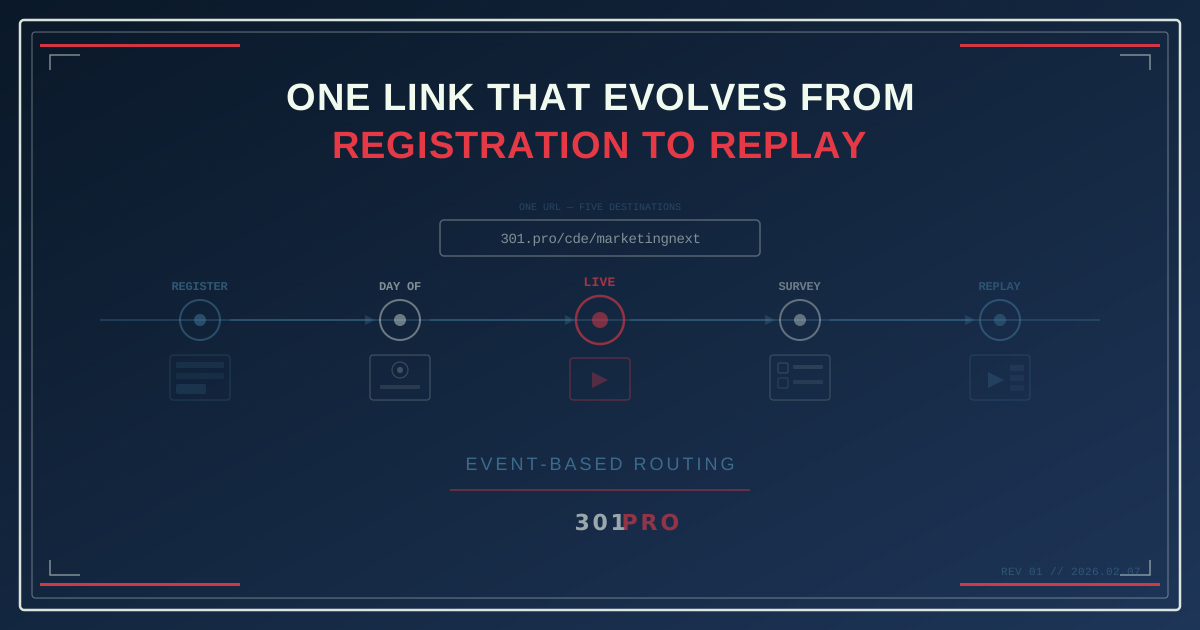
The Event Link Lifecycle Problem
You’re promoting a webinar. You create a registration link, put it in your email, your social posts, your website banner, your speaker’s bio, maybe even a QR code on a physical flyer.
The webinar happens. It’s great. Now what?
All those links — in all those places — still point to a registration page for an event that already happened. Anyone who clicks them now sees a “Registration Closed” message, or worse, a page that lets them register for something that’s over.
So you scramble. Update the email with a new link. Swap the website banner. Hope nobody clicks the old social posts. Pray the printed flyer is already in the recycling.
This is the event link lifecycle problem, and it happens every single time because traditional links are static. They point to one place, forever.
Unless you use event-based routing.
One Link, Multiple Phases
301.Pro’s event-based routing lets you create a single link that automatically changes its destination based on time. You define the phases in advance, and the link transitions between them without you touching anything.
Here’s what an event link lifecycle looks like:
| Phase | Time Window | Destination |
|---|---|---|
| Promotion | 4 weeks before → 1 hour before | Registration page |
| Day of | 1 hour before → event start | Venue directions + parking + schedule |
| Live | Event start → event end | Live stream / session room links |
| Just ended | Event end → 24 hours after | Thank you page + feedback survey |
| Replay | 24 hours after → ongoing | Recording + slides + resources |
One link. Five destinations. Zero manual updates.
How This Transforms Event Marketing
Before the Event: Promote Fearlessly
When you know the link will evolve automatically, you can promote it everywhere without worrying about dead-end experiences later. Put it in:
- Email sequences — drip campaigns can reference the same link across all emails
- Social media posts — scheduled posts weeks in advance all use the same URL
- Speaker bios — “Learn more at [link]” works before, during, and after
- Print materials — flyers, posters, and badges with QR codes that never expire
- Partner websites — affiliate links that always show the right phase
You create the link once. The rules handle the rest.
Day of the Event: Guide Attendees
The morning of a conference, attendees need different information than they did during the promotional phase. They need:
- Venue address and parking directions
- Session schedule and room assignments
- WiFi password and event app download
- Check-in instructions
With event-based routing, the link automatically transitions to this day-of content. Attendees who bookmarked the registration link or have it in an old email click the same URL and get exactly what they need.
During the Event: Connect to Live Content
The moment the event starts, the link transitions again. Now it routes to:
- Live stream URL (for virtual or hybrid events)
- Session room assignments and speaker bios
- Interactive polls and Q&A
- Social wall or event hashtag
For multi-session events, you can combine time-based routing with session schedules. The link evolves not just daily, but hourly — matching the event agenda in real time.
After the Event: Capture the Long Tail
This is where most event marketers drop the ball. The event ends, the links die, and the content sits locked behind a “Registration Closed” page. Meanwhile, the event’s best promotional period is just beginning.
People who couldn’t attend want the recording. People who attended want the slides. Future prospects searching for the topic will find your old social posts and click the link.
With event-based routing, they all land on the replay page — automatically.
The link you promoted three months ago continues working three months later. It just shows different content.
Real-World Scenario: A Conference From Start to Finish
Let’s walk through a concrete example. You’re organizing “MarketingNext 2026,” a two-day conference in Austin.
Four Weeks Out
You create: 301.pro/cde/marketingnext
The link routes to your registration page. Your email campaigns, social posts, and partner promos all use this single URL. You generate a QR code for the event poster.
Rules set:
- Until March 14 (day before) → Registration page
- March 14, 6am - 8am → Venue check-in page
- March 14, 8am - 6pm → Day 1 live schedule
- March 15, 8am - 6pm → Day 2 live schedule
- March 15, 6pm - March 17 → Thank you + survey
- March 17 onward → Replay hub with all recordings
Day Before
The link transitions to the check-in page. Early arrivals and local attendees get directions, parking, and badge pickup info.
Day 1
The link now shows the Day 1 schedule. Attendees use it to navigate between sessions. The QR code on their badge links to the same URL — and it shows the right content because the time rules know what day it is.
Day 2
Same link, now showing Day 2 sessions. No new QR codes, no new links. The badge from Day 1 still works.
Post-Event
Thank you page and feedback survey go live immediately. Two days later, the recordings are ready and the link transitions to the replay hub.
Three Months Later
A prospect finds your speaker’s LinkedIn post from February. Clicks the link. Lands on the replay hub with all session recordings, speaker decks, and a “Register for MarketingNext 2027” CTA.
The link never died. It evolved.
The Analytics Advantage
With a single link across the entire event lifecycle, your analytics tell a complete story:
- Total reach: How many unique clicks across all phases
- Phase-by-phase performance: Which phase generated the most engagement
- Source attribution: Which promotional channel drove the most registrations, live views, and replay watches
- Drop-off analysis: How many promotional-phase clickers actually showed up live
- Long-tail value: How much replay traffic the event generates over months
With multiple links per phase, you’d need to manually stitch this data together across separate analytics dashboards. With one link, 301.Pro’s click data enrichment captures the entire journey.
Combining Event Routing with Other Rules
Event-based routing gets even more powerful when layered:
Event + Geo-Routing
A global virtual event can route US attendees to the English stream and EU attendees to the translated stream — during the live phase only. Before and after, everyone sees the same registration and replay pages.
Event + Device Routing
During the live phase, route mobile users to the event’s mobile app and desktop users to the browser-based live stream. After the event, route everyone to the replay page regardless of device.
Event + A/B Testing
During the promotional phase, A/B test two different registration page designs. During the replay phase, test two different video player layouts. Same link, different experiments per phase.
Setup Takes Minutes, Saves Hours
Setting up event-based routing in 301.Pro:
- Create the link — choose your short URL
- Define phases — set start and end times for each
- Assign destinations — one URL per phase
- Set a default — for any time gaps between phases
Total setup time: 5-10 minutes.
Time saved by not manually updating links across every channel after each phase transition: hours. Per event. Every time.
The Bottom Line
An event isn’t a moment — it’s a journey. Promotion, registration, day-of logistics, live content, post-event follow-up, long-term replay value. That journey shouldn’t require a different link for every phase.
One link. One QR code. One URL in every email, every social post, every printed piece. The destination evolves automatically as the event unfolds.
Your event has a lifecycle. Your link should too.