Your Campaign Ended But Your QR Codes Are Still in the Wild — Now What?
← Back to Blog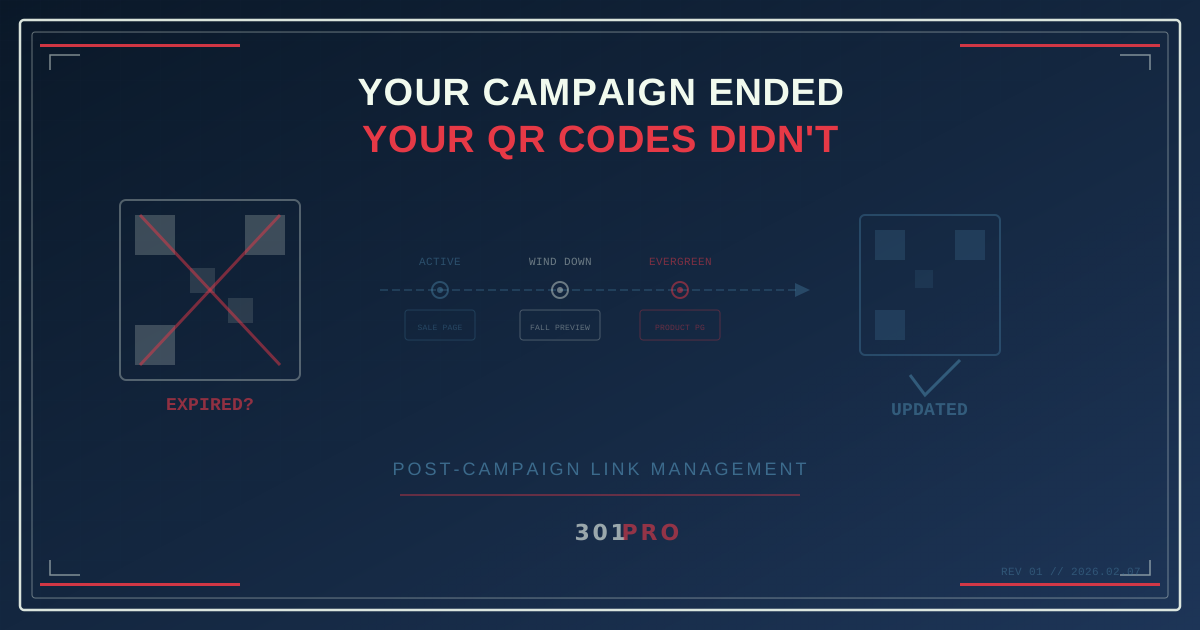
The Zombie QR Code Problem
Your summer campaign was a hit. You printed 10,000 flyers, put QR codes on 500 table tents at a music festival, and ran a billboard in three cities for six weeks. The campaign drove traffic, the landing page converted, and marketing popped the champagne.
Then the campaign ended.
You took down the billboard. You moved on to the fall campaign. The landing page got archived. But those 10,000 flyers? They’re still in desk drawers, pinned to office bulletin boards, sitting in the back of Ubers, and tucked into tote bags at the bottom of closets. The table tents are in recycling bins — but not all of them. Some are still on tables at that restaurant.
And people are still scanning them.
Where do those scans go? If you used a static QR code pointing to a specific campaign URL, the answer is one of three bad outcomes:
- 404 page. The campaign page is gone. The user gets nothing. Your brand looks broken.
- Outdated content. The page still exists but promotes a sale that ended three months ago. Now the user thinks your “Summer Blowout — 40% Off!” is still running. Spoiler: it isn’t. Hello, angry customer.
- Generic redirect. Someone on your team thought ahead and set up a redirect to the homepage. Better than a 404, but it’s like answering the phone and saying, “I don’t know why you called, but welcome.”
None of these are good. All of them are preventable.
The Fix: Links That Outlive Campaigns
When your QR code points to a smart link instead of a static URL, you control what happens after the campaign ends — without touching the physical code.
Here’s the lifecycle of a campaign link done right:
Phase 1: Active Campaign
The QR code on your flyer resolves to 301.pro/cde/summer-fest. During the campaign, it routes to your summer sale landing page. Click data enrichment tracks every scan — device type, location, time of day.
Phase 2: Campaign Winds Down
Two days before the campaign ends, you update the routing. Scans now go to a “Thanks for your interest — here’s what’s coming next” page with an email signup for the fall campaign. The QR code doesn’t change. The physical flyers don’t change. Only the destination does.
Phase 3: Post-Campaign
The campaign is over. You update the link one more time:
| Time Since Campaign End | Destination |
|---|---|
| Week 1-4 | ”Summer sale ended — check out our fall collection” |
| Month 2+ | Current homepage or evergreen landing page |
| Ongoing | Whatever makes sense right now |
Every scan from every surviving flyer now drives value instead of confusion.
Phase 4: Next Year
It’s summer again. You reactivate the same link for the new summer campaign. Those ancient flyers from last year? They now point to this year’s campaign. QR codes that were “dead” for eight months are suddenly alive again.
This is the power of separating the link from the destination.
Real-World Scenarios That Keep Happening
The Conference Booth
You sponsor a booth at a trade show. Your booth has QR codes on everything: the banner, the handouts, the business cards, the branded stickers. The conference ends on Friday.
On Monday, someone finds your sticker on their laptop and scans it. Where does it go?
Without smart links: Your conference-specific landing page with “Visit us at Booth 412!” which makes no sense on a Monday in their apartment.
With smart links: Your product demo page or a “We met at [Conference] — here’s what we discussed” follow-up page. You updated the destination Sunday night. Took 30 seconds.
The Product Packaging
QR codes on physical products are permanent. That cereal box, that wine bottle, that electronics packaging — they ship and they’re done. You can’t recall them. You can’t update them.
Unless the QR code points to a smart link. Then:
- Before launch: “Coming soon — sign up for updates”
- Launch week: Product landing page with first-purchase discount
- Post-launch: Standard product page with reviews
- Product recall: Recall notice and return instructions
- Product discontinued: “This product has been replaced by [New Product]”
One QR code on the box handles the entire product lifecycle.
The Real Estate Sign
A “For Sale” sign with a QR code goes up on a house. The code links to the property listing. The house sells in three weeks. The sign comes down — but the QR code is in hundreds of screenshots, saved links, and neighborhood group chats.
Smart link update: The sold property listing becomes a “Similar homes in this area” page. Those lingering scans now generate leads for other listings instead of hitting a dead “SOLD” page.
Setting Up Post-Campaign Routing in 301.Pro
The Simple Approach: Manual Updates
When a campaign ends, update the destination URL. This takes seconds and works for one-off campaigns.
- Open the link in 301.Pro
- Change the destination to your post-campaign page
- Save
Every QR code, every flyer, every billboard still pointing to that link now resolves to the new destination.
The Automated Approach: Time-Based Rules
If you know your campaign end date in advance (and you should), set up time-based rules from the start:
| Time Rule | Destination |
|---|---|
| Before June 1 | ”Coming soon” teaser |
| June 1 - August 31 | Summer campaign landing page |
| September 1 - September 30 | ”Summer sale ended — fall preview” |
| After October 1 | Evergreen product page |
Set it up once, on the day you create the campaign. Every phase happens automatically. No one needs to remember to update the link on August 31st at midnight.
The Layered Approach: Combine with Other Rules
Time-based rules for campaign lifecycle, plus:
- Location rules: Post-campaign scans in Chicago route to the Chicago store page; scans in Miami route to the Miami store page
- Device rules: Mobile scans go to the app; desktop scans go to the web experience
- Day-of-week rules: Weekday scans route to the business product page; weekend scans route to the consumer version
Your campaign might end, but the link keeps working — and keeps getting smarter.
The Hidden Cost of Dead QR Codes
Let’s quantify what happens when you don’t manage post-campaign links.
A typical QR code campaign sees a long tail of scans. The campaign might be “active” for 6 weeks, but scans trickle in for months — sometimes years — after.
The typical post-campaign scan curve:
| Period | % of Total Scans |
|---|---|
| Active campaign | 60-70% |
| Weeks 1-4 post-campaign | 15-20% |
| Months 2-6 post-campaign | 8-12% |
| Month 7+ | 3-5% |
That 15-30% of post-campaign scans represents real people who are interested enough to scan a code. They’re warm leads. And if your link goes to a 404 or an outdated page, you’re burning every single one of them.
For a campaign that generated 10,000 scans, that’s 1,500 to 3,000 post-campaign scans going to waste. At even a modest 2% conversion rate, that’s 30-60 conversions you left on the table.
The Analytics Advantage
When post-campaign scans flow through 301.Pro, you learn things you can’t learn any other way:
- How long do QR codes stay active? Track the scan decay curve for your specific campaigns.
- Where are the survivors? Location data shows which cities still have circulating materials.
- What’s the true ROI? Include post-campaign conversions in your campaign reporting. Your “6-week campaign” actually generated value for 6 months.
- Which formats last? Stickers on laptops get scanned for months. Flyers at events die in days. Now you know where to spend your print budget.
Bot filtering ensures these insights come from real scans, not crawlers hitting archived URLs.
The Bottom Line
Every QR code you print is a promise. It says, “Scan me and I’ll take you somewhere useful.” When that somewhere becomes a 404 or a stale landing page, you break that promise — and the user remembers.
Smart links mean your QR codes never die. They evolve. The campaign ends, but the link keeps working, keeps routing, keeps converting.
Stop printing disposable QR codes. Start printing permanent ones that you control forever.