How to A/B Test a QR Code on Physical Packaging
← Back to Blog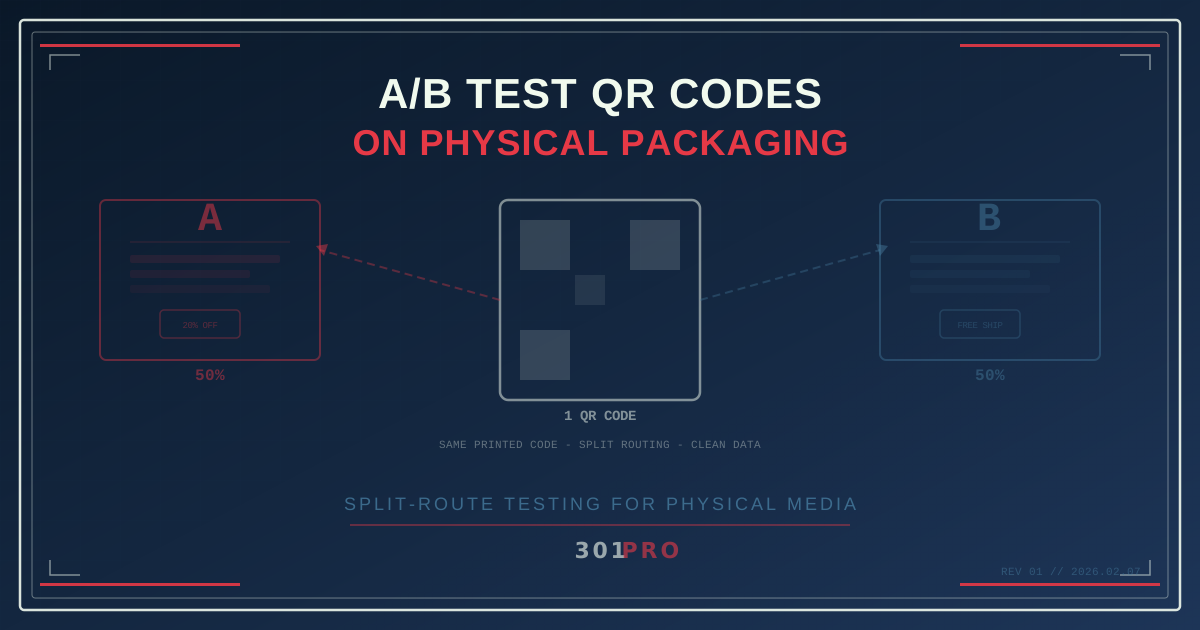
The Impossible Problem
A/B testing on the web is easy. Change a button color, split your traffic 50/50, measure conversion rates, declare a winner. You’ve been doing it for years.
Now try doing that with a QR code printed on 100,000 cereal boxes.
You can’t print two different QR codes on the same box. You can’t recall the boxes mid-test. You can’t change the ink after it’s dry. Physical packaging is permanent. The QR code is permanent. The test seems impossible.
Except it’s not.
One QR Code, Two Destinations
The trick is simple once you see it: you don’t test the QR code — you test the destination.
A dynamic QR code points to a short redirect URL. That redirect is the control point. Instead of changing what’s printed on the box, you change where the redirect sends people. And you can split that routing any way you want.
Here’s how it works with 301.Pro:
- Create one short link — like
301.pro/cde/cereal - Configure split routing — 50% of scans go to Landing Page A, 50% go to Landing Page B
- Print the QR code on your packaging. Every box has the same code
- Measure results — 301.Pro tracks scans to each destination independently
The person scanning has no idea they’re in a test. They just scan the code and land on a page. But behind the scenes, you’re running a clean A/B test on physical packaging — something that used to be impossible without printing two separate SKUs.
What You Can Actually Test
This opens up testing possibilities that physical marketers have been dreaming about:
Landing Page Variations
The most obvious use case. Same QR code, two different landing pages:
| Variant | Destination | What you’re testing |
|---|---|---|
| A | Product page with video hero | Does video increase engagement? |
| B | Product page with recipe carousel | Do recipes drive more time on site? |
Offer Types
Does a percentage discount outperform a dollar amount? Does free shipping beat 15% off?
| Variant | Offer | Conversion rate |
|---|---|---|
| A | ”Get 20% off your next order” | Measured via redemption |
| B | ”Free shipping on orders over $25” | Measured via redemption |
CTA Phrasing
Even the call-to-action text on the landing page matters. Same product, same offer, different framing.
Signup Flow Length
Does a 2-field form outperform a 5-field form? Split the traffic and find out.
Content Format
Does a product explainer video convert better than a PDF guide? You’ll never know until you test it.
The Setup (Step by Step)
Here’s the practical walkthrough for running your first QR code A/B test on packaging:
Step 1: Build Both Landing Pages
Create your two variants. They should differ by exactly one variable (or as few variables as possible). Classic A/B testing principles apply — change too many things and you won’t know what drove the difference.
Make sure both pages are:
- Mobile-first (100% of QR scanners are on phones)
- Fast loading (under 2 seconds)
- Tracking conversions with the same goal event
Step 2: Create Your Smart Link
In 301.Pro, create a short link. This is what your QR code will encode. Short URLs create simpler QR patterns with larger modules, which means better scannability from any distance.
Step 3: Configure Split Routing
Set up your routing rules:
- 50/50 split is the default for clean statistical significance
- 70/30 split if you want to limit exposure to a riskier variant
- Both destinations get tracked independently
Step 4: Generate the QR Code
Generate your QR code from the short link. Because the URL is short, the QR code will be simple and scannable. Print it on your packaging.
Step 5: Wait for Data
This is where physical A/B testing differs from web testing. On the web, you might get statistically significant results in hours. On physical packaging, your sample accumulates as products move through the supply chain and reach consumers.
Plan for:
- 1-2 weeks for high-velocity consumer products (snacks, beverages)
- 4-8 weeks for slower-moving products (household items, specialty goods)
- Statistical significance before calling a winner (aim for 95% confidence)
Step 6: Analyze and Redirect
Once you have a clear winner, update the routing to send 100% of traffic to the winning variant. Every QR code already printed now points to the optimized experience.
This is the part that blows people’s minds: you just optimized the destination of a QR code that’s been printed on 100,000 boxes sitting on store shelves. No recall. No reprint. No sticker-over. Just a routing change.
Advanced Strategies
Once you’re comfortable with basic split testing, the possibilities expand:
Sequential Testing
Run Test 1 (landing page layout) for four weeks. Declare a winner. Then run Test 2 (offer type) against the winning page for another four weeks. Each test compounds your optimization.
Time-Based Splits
Instead of a random 50/50 split, route by time:
- Weekday scans → Variant A
- Weekend scans → Variant B
This can reveal audience behavior differences. Weekend scanners at a grocery store might respond differently than Tuesday-morning scanners.
Geography-Based Splits
Route scans by region:
- Northeast → Variant A (tailored for urban audience)
- Southeast → Variant B (tailored for suburban audience)
This isn’t a clean A/B test in the traditional sense, but it lets you localize the experience from a single printed QR code.
The Multivariate Approach
For high-scan-volume products, you can split across three or four variants. Just be aware that more variants require more scans to reach statistical significance.
What to Measure
QR code A/B tests need clear success metrics. Define these before you start:
- Scan-to-conversion rate — what percentage of scanners completed your goal action
- Time on page — are people engaging or bouncing
- Scroll depth — how far down the page are they reading
- Secondary actions — email signups, social shares, add-to-carts
- Revenue per scan — the metric that matters most to the business
301.Pro’s analytics give you scan-level data that you can correlate with your landing page analytics. You’ll know exactly how many people scanned, where they landed, and what happened next.
The Control Problem
One thing to watch out for: QR code A/B tests don’t have the same session isolation as web tests. On the web, a cookie ensures the same user sees the same variant on return visits. With QR scans, a person might scan the code twice and see a different variant each time.
Mitigations:
- Cookie the landing page. Once someone lands on Variant A, set a cookie so return visits stay on A
- Accept the noise. For most packaging use cases, repeat scans from the same person are rare enough that the noise is negligible
- Use conversion events as the metric. If you’re measuring purchases or signups (one-time actions), the repeat-scan problem doesn’t affect your data
Why This Matters
Physical marketing has historically been a black box. You print something, distribute it, and hope it works. The feedback loop is slow, expensive, and imprecise.
QR code split testing changes that. A single printed code becomes a living, testable touchpoint. You can iterate on the digital experience behind a physical product without changing the physical product at all.
And with 301.Pro tracking every scan with Intelligent Bot Management (filtering out bot traffic so your test data is clean), you get reliable numbers to make real decisions.
Start Small
You don’t need 100,000 boxes to start. If you’re already using QR codes on packaging, business cards, flyers, or signage, pick one and run a split test. Two landing pages, 50/50 split, one clear success metric.
The first time you optimize a physical QR code without reprinting anything, you’ll wonder why you didn’t start sooner.